Best Mesh Wi-Fi Systems by Home Size: eero Pro 7 vs. Deco vs. ASUS ZenWiFi vs. Orbi 970
Wi-Fi 6E or Wi-Fi 7, wired or wireless backhaul, which ports for your plan: how eero Pro 7, TP-Link Deco, ASUS ZenWiFi and Orbi 970 compare by home size.
A single router in a corner of the house rarely covers the whole home well. Signal fades through floors, brick, tile and appliances, and the far bedroom or the backyard ends up with a weak connection no matter how fast the internet plan is. A mesh Wi-Fi system fixes that by spreading two or more units around the house that act as one network, with one name and one password, and hand devices off to the closest unit as people move from room to room.
The hard part is choosing among dozens of kits. The real decisions come down to four things: which Wi-Fi generation, how the units talk to each other (backhaul), which ports the plan and devices need, and how much square footage there is to cover. This guide covers each one, then names specific systems by home size and use.
As an Amazon Associate, Best Utah Real Estate earns from qualifying purchases.
Quick verdict: the right mesh system by home and plan
- Best budget Wi-Fi 7 for most homes on gigabit plans: the TP-Link Deco 7 BE25 (3-pack), dual-band Wi-Fi 7 with two 2.5G ports per unit, rated for up to 6,600 square feet.
- Best Wi-Fi 6E value: the TP-Link Deco XE75 Pro (3-pack), tri-band with a 6 GHz band used for backhaul by default, rated for up to 7,200 square feet.
- Easiest setup, plans up to 5 Gbps: the Amazon eero Pro 7 (3-pack), tri-band Wi-Fi 7 with two 5-gigabit Ethernet ports on each unit.
- Best mid-range tri-band Wi-Fi 7: the TP-Link Deco 7 Pro BE63 (3-pack), with four 2.5G ports per unit and up to 7,600 square feet of rated coverage.
- Best for multi-gig wired backhaul and no subscriptions: the ASUS ZenWiFi BT10 (2-pack), with two 10G ports per unit and security and parental controls included.
- Best for the largest homes: the NETGEAR Orbi 970 Series (RBE973S), a quad-band Wi-Fi 7 system rated for up to 10,000 square feet with a 10-gig internet port.
Wi-Fi 6E vs. Wi-Fi 7: what actually changes
Wi-Fi 6E is Wi-Fi 6 extended into the 6 GHz band. That band is wide, uncrowded and free of older devices, so phones and laptops that support it get fast, low-interference connections. Its weakness is range: 6 GHz signals fade through walls faster than 5 GHz, so it works best in the same room or the next one over.
Wi-Fi 7 builds on that. According to the Wi-Fi Alliance, its headline features are 320 MHz channels (double the widest Wi-Fi 6E channel), 4K QAM, which packs about 20 percent more data into each transmission, and Multi-Link Operation (MLO), which lets a device use more than one band at the same time for higher throughput and steadier connections. Wi-Fi 7 routers work with older devices, but the extra speed only reaches devices that also support Wi-Fi 7, and 320 MHz channels only exist on 6 GHz.
The practical takeaway:
- Buy Wi-Fi 7 when the internet plan is above 1 Gbps, when newer phones and laptops in the house support it, or when the goal is to skip another upgrade for several years. Prices on entry Wi-Fi 7 kits have dropped close to Wi-Fi 6E.
- Wi-Fi 6E still makes sense on a sale, for plans at or below 1 Gbps, and in homes where most devices are a few years old.
- Dual-band vs. tri-band matters more than the generation number for mesh. Tri-band and quad-band systems have spare radio capacity for the link between units, which keeps speeds up at the far nodes.
Wired backhaul is the biggest upgrade most homes skip
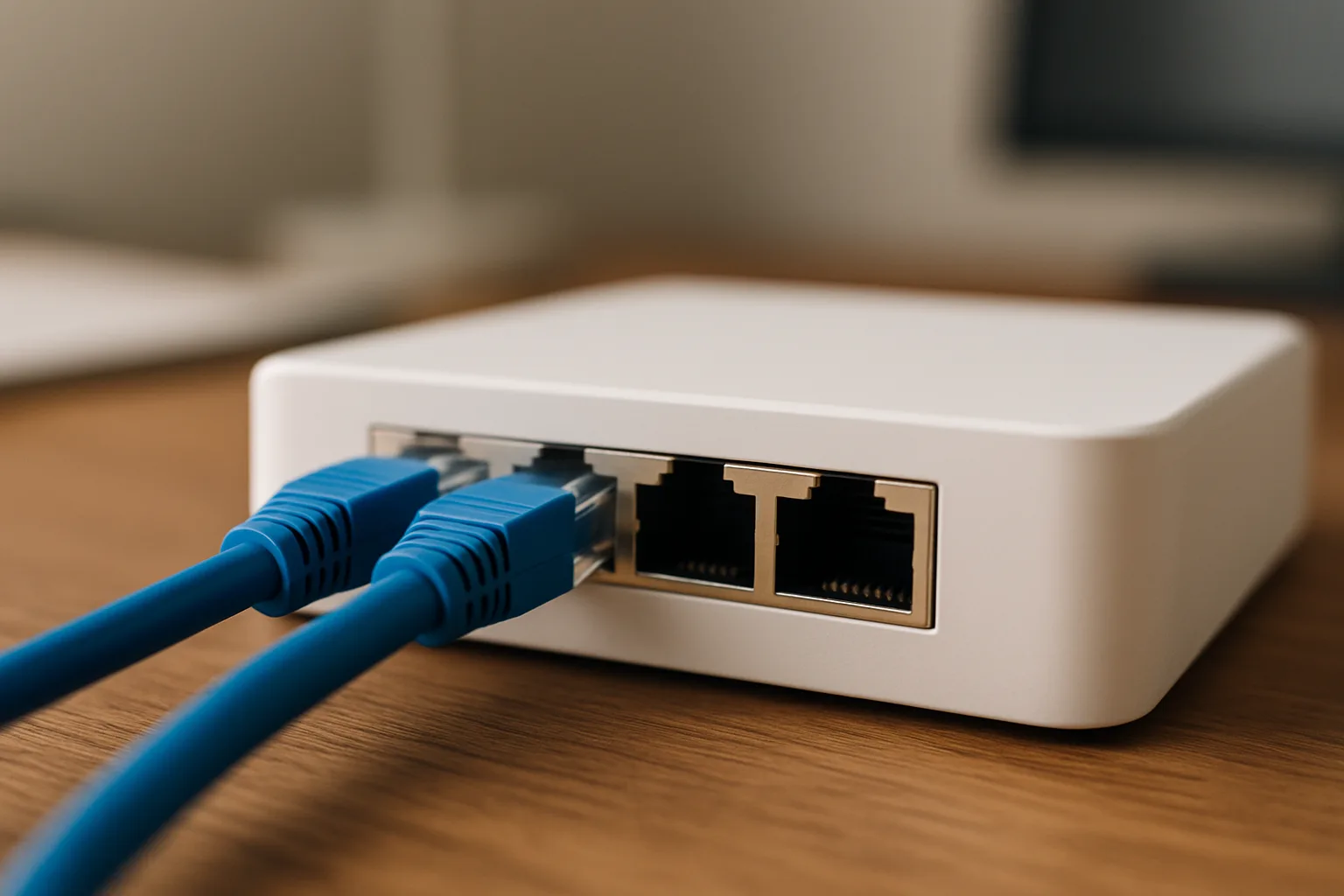
Backhaul is the connection between the main router and each satellite. With wireless backhaul, the units relay traffic to each other over Wi-Fi, which uses up radio capacity and loses speed with every wall in between. With wired backhaul, an Ethernet cable runs from the main unit to each satellite, so every node gets full speed and the Wi-Fi radios are left entirely for devices.
Homes with Ethernet jacks in a few rooms should use them; every system on this list supports wired backhaul. Homes without Ethernet sometimes have coaxial cable from old TV service, and MoCA adapters can carry a network signal over that coax. When wireless backhaul is the only option, choose a tri-band or quad-band system so the backhaul gets its own band, and keep satellites no more than one or two rooms apart.
Match the ports to the plan
A system is only as fast as its slowest port. A 2 Gbps internet plan plugged into a 1-gigabit port gets 1 Gbps. For gigabit plans, 2.5G ports leave headroom. For 2 to 5 Gbps plans, look for 5G or 10G ports on the main router, and for the same speed on satellites if they will be wired together.
Mesh systems compared
| System | Shop | Wi-Fi | Bands | Fastest ports | Rated coverage | Best for |
|---|---|---|---|---|---|---|
| TP-Link Deco 7 BE25 (3-pack) |  Buy on Amazon Buy on Amazon
| Wi-Fi 7 | Dual-band | 2 x 2.5G per unit | Up to 6,600 sq ft | Gigabit plans, budget |
| TP-Link Deco XE75 Pro (3-pack) | 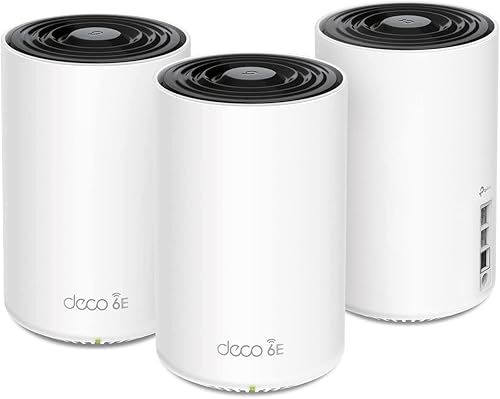 Buy on Amazon Buy on Amazon
| Wi-Fi 6E | Tri-band | 1 x 2.5G, 2 x 1G per unit | Up to 7,200 sq ft | Wireless backhaul on a budget |
| Amazon eero Pro 7 (3-pack) |  Buy on Amazon Buy on Amazon
| Wi-Fi 7 | Tri-band | 2 x 5G per unit | Up to 6,000 sq ft | Plans up to 5 Gbps, simple setup |
| TP-Link Deco 7 Pro BE63 (3-pack) | 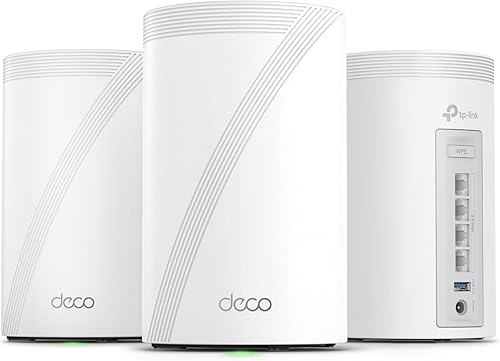 Buy on Amazon Buy on Amazon
| Wi-Fi 7 | Tri-band | 4 x 2.5G per unit | Up to 7,600 sq ft | Larger homes, many wired devices |
| ASUS ZenWiFi BT10 (2-pack) | 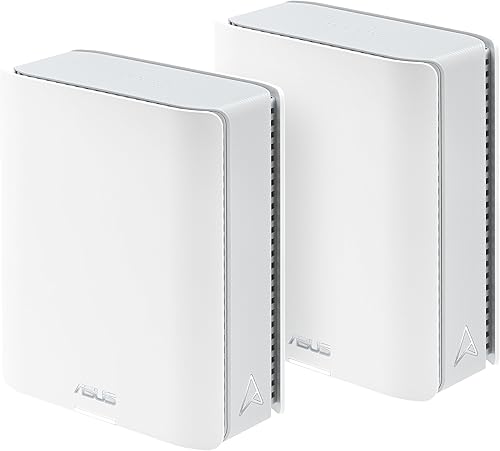 Buy on Amazon Buy on Amazon
| Wi-Fi 7 | Tri-band | 2 x 10G per unit | Up to 6,000 sq ft | Multi-gig wired backhaul, power users |
| NETGEAR Orbi 970 (RBE973S) |  Buy on Amazon Buy on Amazon
| Wi-Fi 7 | Quad-band | Router: 10G internet + 10G LAN; satellites: 1 x 10G | Up to 10,000 sq ft | Very large homes, top wireless backhaul |
Coverage figures are manufacturer ratings for open conditions. Thick walls, multiple floors and metal or stone construction reduce real coverage, so treat them as a ceiling, not a promise.
Picks by home size
Apartments and homes under about 2,000 square feet
A two-unit kit is usually enough, and in a compact single-story layout a single good router may be all that is needed. The Deco BE25 is sold in smaller packs as well as the 3-pack, uses dual-band Wi-Fi 7 with Multi-Link Operation, and has two 2.5G ports per unit, enough for a gigabit plan with room to spare. Being dual-band, it relies more on wired backhaul for best results in larger spaces.
Typical two-story homes, about 2,000 to 4,000 square feet
This is the sweet spot for three-unit tri-band kits. The eero Pro 7 stands out for simplicity: setup takes a few minutes in the app, units update themselves, and two 5-gigabit Ethernet ports per unit handle internet plans up to 5 Gbps without a bottleneck. The trade-off is limited customization, and advanced parental controls and security filtering require an eero Plus subscription. Homes that want more ports per node for a TV, a game console and a desktop should look at the Deco BE63, which puts four 2.5G ports on every unit. The Deco XE75 Pro remains a capable lower-cost choice when Wi-Fi 6E is enough, and its dedicated 6 GHz backhaul helps where no Ethernet runs exist.
Large homes, multi-gig plans and home offices
Above about 4,000 square feet, or with internet faster than 2 Gbps, port speed and backhaul become the deciding factors. The ASUS ZenWiFi BT10 puts two 10G ports on every unit, so a home wired with Cat 6 or better can link nodes at multi-gig speed. ASUS also includes network security and parental controls without a subscription and offers far more settings than eero or Deco, which appeals to people who like to manage their own network.
For the biggest homes, especially ones without Ethernet, the Orbi 970 is the premium choice. Its quad-band design dedicates radio capacity to backhaul, NETGEAR rates the three-piece kit for up to 10,000 square feet and 200 devices, and the router has a 10-gig internet port, a 10-gig LAN port and four 2.5G LAN ports. Each satellite has one 10-gig port and two 2.5G ports. Advanced parental controls and security cost extra through NETGEAR's subscriptions.
Placement tips that matter more than the brand
- Put the main unit near the center of the home's used space if the internet line allows, not in a basement corner.
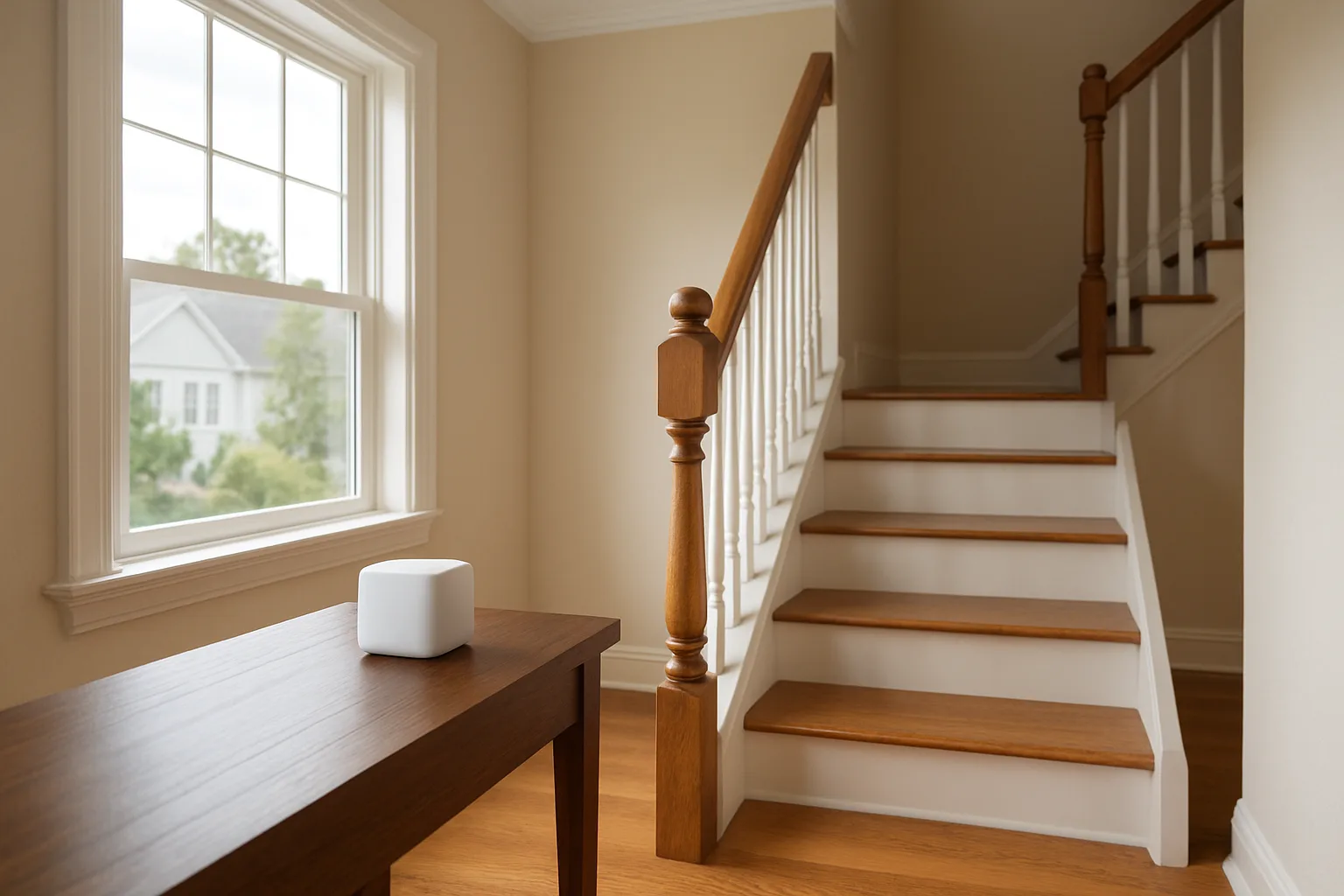
- Place satellites halfway, not at the dead zone. A satellite needs a strong signal from the main unit to pass along. Putting it in the room that already has no signal just extends a weak link.
- Keep units up and in the open. Shelves and tabletops beat floors, closets and spots behind TVs.
- Go floor by floor. In a two-story home, one unit per floor, roughly stacked, often works better than two units on the same level.
- Plan for outdoor devices. Cameras, doorbells and smart locks at the edges of the house need coverage too. This comparison of outdoor security cameras without a monthly fee and this look at video doorbells both depend on a solid signal at the door and yard.
Subscriptions and features to check before buying
Several brands keep their best features behind a monthly plan. eero, NETGEAR and TP-Link all offer basic parental controls for free and charge for advanced filtering, ad blocking and security scanning. ASUS includes those features in the hardware price. Also check whether the system supports separate network names for older smart home gadgets that only use 2.4 GHz, a guest network, and VPN server features if remote access matters. Finally, buying a kit with one more unit than seems necessary is often cheaper than adding a single satellite later.
A strong home network is also an easy upgrade to point out when selling, since buyers increasingly expect a house where the smart lock, cameras and thermostat all stay connected.
TP-Link Deco 7 Pro BE63 Wi-Fi 7 Mesh System (3-Pack)Check today’s price on AmazonBuy on Amazon →
Posted by Kristopher Larson
Frequently asked questions
Is Wi-Fi 7 worth it over Wi-Fi 6E for a mesh system?
Wi-Fi 7 is worth it for internet plans above 1 Gbps, homes with newer Wi-Fi 7 phones and laptops, or buyers who want the system to last several years. Its 320 MHz channels, 4K QAM and Multi-Link Operation only help devices that support them. For gigabit-or-slower plans and older devices, a discounted Wi-Fi 6E system performs well.
What is wired backhaul in a mesh Wi-Fi system?
Backhaul is the link between the main router and each satellite. Wired backhaul uses an Ethernet cable for that link, so each satellite gets full speed and the Wi-Fi radios serve only devices. Wireless backhaul relays traffic over Wi-Fi, which loses speed through walls and floors.
How many mesh nodes does a house need?
Two units usually cover apartments and homes under about 2,000 square feet, three units suit most two-story homes up to about 4,000 square feet, and larger homes may need four or more. Wall materials and layout matter more than square footage, so add a node where speed drops off.
Is dual-band or tri-band mesh better?
Tri-band and quad-band systems are better for wireless backhaul because they have spare radio capacity for the connection between units. Dual-band systems cost less and work well when the units are connected with Ethernet or the home is small.
Where should mesh Wi-Fi satellites be placed?
Place each satellite about halfway between the main router and the area with weak coverage, where it still gets a strong signal from the main unit. Keep units off the floor and out of cabinets, and in two-story homes put one on each floor.
Do mesh Wi-Fi systems require a subscription?
No subscription is needed for basic Wi-Fi. Several brands, including eero, NETGEAR and TP-Link, charge for advanced parental controls, ad blocking and security scanning. ASUS includes those features without a subscription.
Keep reading
More from the blog
Whole-House Surge Protectors: Type 1 vs. Type 2, What They Can't Stop, and Square D vs. Siemens vs. Eaton
Propane vs. Electric Patio Heaters: Mushroom vs. Infrared vs. Tabletop, and How Much Heat a Patio Needs
How to Measure Home Electricity Use: Kill A Watt vs. Smart Plugs vs. Emporia Vue vs. Sense