Best Video Doorbells With No Subscription: Eufy vs. Wyze vs. Tapo vs. Ring vs. Nest
Subscription-free vs. subscription and wired vs. battery video doorbells compared, with picks from eufy, Wyze, Tapo, Ring, Google Nest and UniFi.
The sticker price on a video doorbell is only part of what it costs. Several of the best-known models record nothing unless the owner pays a monthly plan, while others save clips to a memory card or a chip inside the doorbell and never send a bill. Power matters just as much: a battery doorbell installs in minutes anywhere, but a wired one never needs recharging and can stream more reliably. This comparison sorts the main options by those two questions, subscription and power, and then names specific doorbells that fit each kind of buyer.
As an Amazon Associate, Best Utah Real Estate earns from qualifying purchases. Product picks are based on published specs and independent testing data, not paid placement.
Quick verdict: which video doorbell to buy
- Best no-subscription doorbell for most homes: the eufy Video Doorbell E340. Two cameras (one for visitors, one aimed at packages), 8GB of built-in storage, and it runs on battery or doorbell wiring.
- Best for the largest local storage: the Tapo D225, which takes a microSD card up to 512GB and records around the clock when hardwired.
- Best for weak or crowded Wi-Fi: the Wyze Duo Cam Doorbell, one of the few in this group that connects on both 2.4GHz and 5GHz.
- Best if the household already lives in an ecosystem: Ring Battery Doorbell Pro for Alexa homes, Google Nest Doorbell (battery) for Google Home. Both work best with a paid plan.
- Best for owning every frame of footage: the UniFi G4 Doorbell Pro, which has no subscription at all but needs a UniFi Protect console to record.
Video doorbell comparison table
| Model | Power | Where clips are stored | Subscription needed to record? | Cameras |
|---|---|---|---|---|
| eufy Video Doorbell E340 | Battery or wired | 8GB inside the doorbell; HomeBase S380 adds indoor storage | No | 2K main + 1080p package camera |
| Tapo D225 | Battery or wired | microSD up to 512GB (card sold separately); optional cloud | No | One 2K+ camera, 180° diagonal view |
| Wyze Duo Cam Doorbell | Removable battery or 10–24V AC wiring | microSD up to 256GB (sold separately); optional cloud | No | 2K main + package camera |
| Ring Battery Doorbell Pro | Quick-release battery, optional hardwire | Ring cloud | Yes, for saved video | One camera, head-to-toe view |
| Google Nest Doorbell (battery) | Battery or wired | Google cloud; 3 hours of event history free | Yes, for longer history | One camera, HDR |
| UniFi G4 Doorbell Pro | 16–24V AC wiring, USB-C, or PoE adapter | UniFi Protect console on the home network | No (console required) | 5MP main + package camera |
Specs come from each manufacturer's published spec sheet. Brands revise these doorbells often, so check the current model and bundle on the listing before buying.
Subscription-free vs. subscription doorbells
A subscription doorbell sends every motion clip to the maker's servers. Without a plan, most of them still ring the phone and show a live view, but nothing is saved, so a missed delivery or a 3 a.m. visitor is simply gone. Ring's doorbells fall into this group: live view, two-way talk and motion alerts work for free, while video history, package alerts and richer notifications sit behind a paid plan. Google is a little more generous. Its battery Nest Doorbell keeps three hours of event history without a subscription, and Google Home Premium extends that to 30 or 60 days depending on the tier.
Subscription-free doorbells keep footage on the device or on a box inside the house. The eufy E340 has 8GB of built-in storage, which eufy rates at roughly 90 days of clips based on about 30 twenty-second events a day. The Tapo D225 and Wyze Duo take microSD cards. Neither approach involves a monthly bill, which is why the cheapest doorbell up front is often not the cheapest over several years of ownership.
The weak spot of local-only storage
Storage inside the doorbell has one obvious problem: a thief who rips the doorbell off the wall takes the evidence too. There are three ways around it. A eufy owner can pair the E340 with a HomeBase S380, which keeps recordings on a unit inside the house. Tapo and Wyze sell optional cloud plans that back up clips without making them mandatory. And a UniFi system records to a console that can sit in a closet, so the doorbell itself holds nothing worth stealing.
Wired vs. battery video doorbells
Battery doorbells win on installation. Most mount with two screws or an adhesive plate, and they work on homes with no doorbell wiring at all, including many condos and rentals. The trade-off is recharging, and battery models usually record shorter clips and wake up a beat later than wired ones to save power. The Ring Battery Doorbell Pro softens the recharging chore with a quick-release battery pack, and the Wyze Duo's removable pack charges over USB-C.
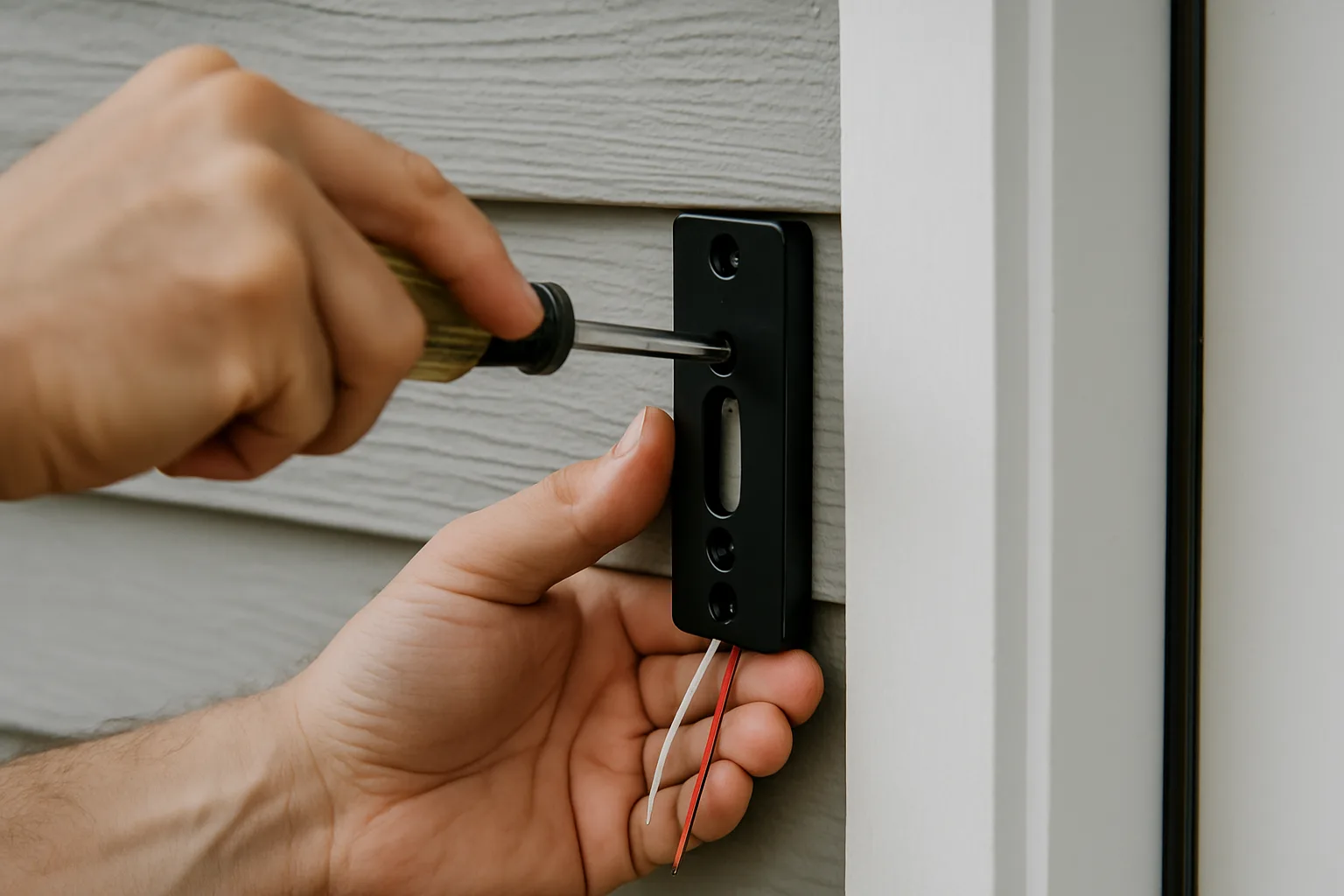
Wired doorbells connect to the existing low-voltage doorbell transformer, typically somewhere in the 8–24V AC range. That steady power is what enables 24/7 recording on the Tapo D225 and Wyze Duo; both makers say continuous recording requires hardwiring plus a memory card. Several of these models, including the eufy E340, Tapo D225 and Nest Doorbell (battery), are hybrids: they run on battery but accept doorbell wiring to keep the battery topped up. Before buying a wired-only model, it is worth confirming the transformer's voltage and VA rating against the doorbell's spec sheet, because an undersized transformer is the most common cause of a doorbell that keeps rebooting.
The picks in more detail
eufy Video Doorbell E340: two cameras, no bill
The E340's second, downward-facing camera covers the doormat, which a single wide lens tends to crop out. Its main camera records 2K (2048 x 1536) and the package camera 1080p, with eufy's color night vision rated to about 16 feet. It runs on its removable battery or on doorbell wiring, and in wired mode the wiring keeps the battery charged. It connects on 2.4GHz Wi-Fi only. The bundle linked here includes a plug-in chime, so the bell is heard inside the house even without a mechanical chime.
Buyers who care about privacy should know eufy's history. Its parent company, Anker, admitted after press reports that some eufy camera streams viewed through its web portal were not end-to-end encrypted as advertised. Anker said it moved streams to encrypted WebRTC and brought in outside security testers.
eufy Video Doorbell E340 with ChimeView on Amazon →
Tapo D225: the most room for footage
TP-Link's Tapo D225 records 2K+ (4MP) through a lens with a 180° diagonal field of view, and it detects people, vehicles and packages without a plan. The microSD slot accepts cards up to 512GB, the largest in this group, and the doorbell runs on battery or doorbell wiring, with wiring needed for continuous recording. Tapo Care, the optional cloud plan, adds off-device backup. It comes with a chime in the box. Availability of specific Tapo doorbell models changes often, so confirm the listing still shows the D225 before ordering.
Wyze Duo Cam Doorbell: dual cameras and dual-band Wi-Fi
The Wyze Duo pairs a 2K front camera with a second camera for the doorstep and connects on 2.4GHz or 5GHz Wi-Fi. A 5GHz connection usually carries video more smoothly where the router is close and the 2.4GHz band is crowded with neighbors' networks. It runs on a 6,200 mAh removable battery or 10–24V AC wiring, takes a microSD card up to 256GB, carries an IP65 weather rating, and ships with a Wi-Fi chime. Wyze has also had privacy lapses: during a server outage, about 13,000 users briefly received event thumbnails from other people's cameras. The company said it added extra verification checks afterward.
Ring Battery Doorbell Pro: the easiest setup, with a plan
Ring remains the simplest doorbell to set up and the best fit for Alexa homes; doorbell presses can announce on Echo speakers and show on Echo Show screens. The Battery Doorbell Pro adds 3D Motion Detection with Bird's Eye Zones, which maps a visitor's path on an overhead view, plus a head-to-toe camera and a quick-release battery. Ring has sold more than one generation under the same name, the original at 1536p and a newer 4K version, so check which one the listing ships. Saved video requires a paid Ring plan. Ring also settled with the Federal Trade Commission over employee and contractor access to customer videos, agreeing to pay for consumer refunds and run a privacy and security program; Ring said it disagreed with the allegations.
Ring Battery Doorbell ProView on Amazon →
Google Nest Doorbell (battery): the Google Home pick
The battery Nest Doorbell is the natural choice for homes built around Google Home and Nest speakers and displays. It recognizes people, packages, animals and vehicles, and it keeps three hours of event history for free. It cannot record 24/7, even when wired. Longer history requires Google Home Premium, and the doorbell uses the Google Home app rather than the older Nest app.
UniFi G4 Doorbell Pro: no subscription, ever, but bring a console
Ubiquiti's G4 Doorbell Pro is the outlier. It pairs a 5MP main camera with a second camera for packages, has two-way audio and a small display for messages, and never charges a monthly fee. But it records only to a UniFi Protect console on the home network, sold separately. It takes 16–24V AC doorbell wiring or USB-C power, and a PoE adapter (also sold separately) puts it on wired Ethernet. For a household that already runs UniFi networking gear, it is the most private and most reliable option here. For everyone else, the console adds a large upfront cost.
Who should buy which
- Renters and condo owners with no doorbell wiring: eufy E340 or Wyze Duo on battery power.
- Homes with frequent package deliveries: a dual-camera model, either the eufy E340 or the Wyze Duo.
- Owners who want 24/7 recording without a bill: the Tapo D225 or Wyze Duo, hardwired, with a high-endurance microSD card.
- Alexa or Google households willing to pay monthly: Ring Battery Doorbell Pro or Nest Doorbell (battery).
- Privacy-first buyers with a home network setup: the UniFi G4 Doorbell Pro.
Doorbells that use a hub or work with Matter are another route. The Aqara G410 doorbell review covers one with local recording and a hub-based design. A video doorbell also pairs naturally with a smart lock; the Nuki smart lock overview explains one option, and the Amazon Echo Hub review shows how doorbell feeds appear on a wall-mounted control panel.
Bottom line
For most homes, a subscription-free dual-camera doorbell like the eufy E340 or Wyze Duo gives the best mix of coverage and long-term cost, and the Tapo D225 suits anyone who wants a large memory card and continuous recording. Ring and Nest still make sense when the household is already committed to Alexa or Google Home and accepts the monthly plan. Whichever model wins, it pays to check whether recordings stay inside the house, and to keep that copy somewhere a thief can't reach.
Posted by Kristopher Larson
Frequently asked questions
Which video doorbells work without a subscription?
The eufy Video Doorbell E340, Tapo D225, Wyze Duo Cam Doorbell and UniFi G4 Doorbell Pro all record without a monthly plan. eufy stores clips on 8GB of built-in memory, Tapo and Wyze use a microSD card, and UniFi records to a UniFi Protect console on the home network. Tapo and Wyze also sell optional cloud backup.
Does a Ring doorbell work without a subscription?
Yes, but only partly. Without a paid plan, a Ring doorbell still sends motion and ring alerts and offers live view and two-way talk. It does not save recordings, so earlier events can't be reviewed later. Video history, package alerts and richer notifications require a paid Ring plan.
How much free video history does a Google Nest Doorbell keep?
The Nest Doorbell (battery) keeps three hours of event history without a subscription. Google Home Premium extends event history to 30 days, and the Advanced tier to 60 days. The battery model cannot record continuous 24/7 video, even when it is wired.
Is a wired or battery video doorbell better?
A wired doorbell never needs recharging, reacts faster and can record continuously on models that support it, such as the Tapo D225 and Wyze Duo with a memory card. A battery doorbell installs anywhere in minutes, including homes with no doorbell wiring. Many current models are hybrids that run on battery but accept doorbell wiring to stay charged.
What happens to local recordings if someone steals the doorbell?
Clips stored only inside the doorbell or on its memory card leave with the device. To protect them, pair the doorbell with an indoor hub (such as eufy's HomeBase S380), turn on an optional cloud backup plan, or use a system like UniFi Protect that records to a console kept inside the house.
What voltage does a wired video doorbell need?
Most wired video doorbells run on the home's existing low-voltage doorbell transformer, usually in the 8 to 24 volt AC range. Exact requirements vary: the Wyze Duo lists 10 to 24V AC and the UniFi G4 Doorbell Pro lists 16 to 24V AC. Check the transformer's voltage and VA rating against the doorbell's spec sheet before installing, since an undersized transformer can cause repeated reboots.
Keep reading
More from the blog
Best Cordless Stick Vacuums by Home Type: Shark vs. Dyson vs. Dreame vs. Levoit
How to Choose an Air Purifier by Room Size and CADR: Coway vs. Levoit vs. Winix
Electric Pressure Washers: Which PSI and GPM Matter, and Budget vs. Premium Picks