Best Wireless Microphone for Real Estate Video: Rode Wireless GO (Gen 3) vs. Wireless PRO vs. DJI Mic 3 vs. Hollyland Lark Max 2
Rode Wireless GO (Gen 3), Wireless PRO, DJI Mic 3 and Hollyland Lark Max 2 compared for agent video: echo, wind, dropouts, backup recording and phones.
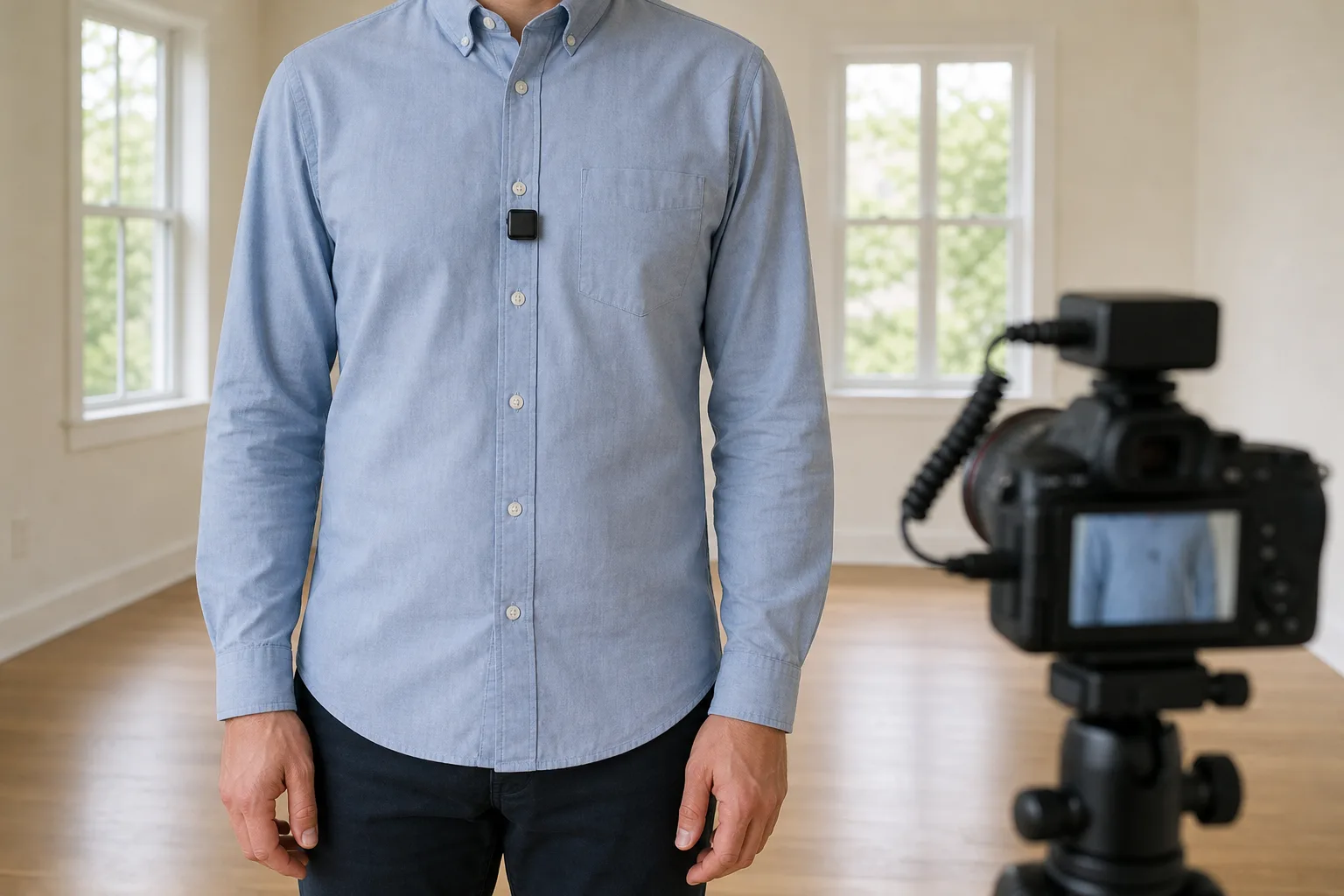
A listing walkthrough can look fine and still be hard to watch if the narration booms around an empty living room or disappears in driveway wind. A wireless clip-on microphone keeps the mic a few inches below the mouth while the agent walks ahead of the camera, turns toward the kitchen or stands on the street for a neighborhood intro.
This guide compares four wireless kits for agent video shot on a phone or a mirrorless camera: the Rode Wireless GO (Gen 3), the Rode Wireless PRO, the DJI Mic 3 and the Hollyland Lark Max 2. Each can record a backup inside the transmitter, which saves a take when the signal drops or someone laughs into the mic.
Quick verdict
- Most agent walkthroughs and narration: the Rode Wireless GO (Gen 3). Rode states its built-in mics use the same capsules and preamps as the Wireless PRO, and it has a locking input for adding a lavalier later. It has no noise cancelling and no timecode.
- Client and lender interviews, with hidden lavalier mics: the Rode Wireless PRO. It has the fullest voice tone here by a small margin, and Rode's kit includes two lavalier mics and timecode. It has no noise cancelling.
- Driveway and street intros: the DJI Mic 3. Beside a road its noise cancelling removed clearly more than the Lark Max 2's, and its connection stayed the most constant at long range. A lavalier mic cannot be plugged into it.
- Phone video and long days: the Hollyland Lark Max 2. It has a slim 14 g transmitter and the longest rated battery life of the four, and Hollyland's Combo kits add a receiver that plugs straight into a USB-C phone.
The four kits side by side
| Product | Shop | Transmitter weight | Battery per transmitter | Backup recording | Noise cancelling | Lavalier input | Stated open-air range |
|---|---|---|---|---|---|---|---|
| Rode Wireless GO (Gen 3) |  View on Amazon | 35 g | Up to 7 hours | 32-bit float | None | Locking 3.5 mm | 260 m |
| Rode Wireless PRO | 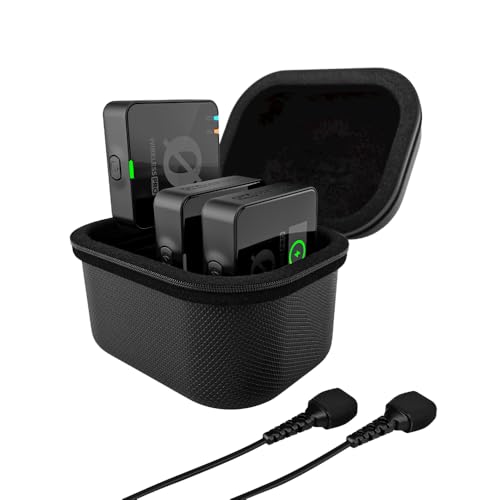 View on Amazon | 35 g | Up to 7 hours | 32-bit float, 32 GB | None | Locking 3.5 mm, two lavaliers in Rode's kit | 260 m |
| DJI Mic 3 |  View on Amazon | 16 g with magnet | 8 hours | 32-bit float or 24-bit, 32 GB | Two levels | None | 400 m |
| Hollyland Lark Max 2 |  View on Amazon | About 14 g | About 11 hours | 32-bit float or 24-bit, 8 GB | Adjustable, 5 to 25 dB | Through a USB-C adapter | 340 m |
All figures are the makers'.
For most agent walkthroughs
Rode Wireless GO (Gen 3)
The same capsules and preamps as the Wireless PRO and a locking lavalier input, without timecode, lavalier mics or noise cancelling.
- 32-bit float backup
- Up to 7 hours
- 260 m stated range
Good for
- Agents narrating their own walkthroughs
- Phone and camera use from one kit
- Adding a lavalier later
Skip it if
- Takes are long and synced by timecode
- Noise cancelling is needed outdoors
How they sound inside a house
The gap in voice quality is small. The Rode sound is a touch warmer and fuller, and the DJI Mic 3 is cleaner and more neutral. On tone alone the Wireless PRO comes out on top, narrowly. That result was measured on the Wireless PRO. Rode states that the Wireless GO (Gen 3) uses the same capsules and preamps, but the two were not recorded side by side.
Placement changes the sound more than the brand does. Clip the transmitter at the center of the chest, directly under the mouth. An agent who turns toward a fireplace while the mic sits on the far lapel loses level, although a Wireless GO (Gen 3) recording still sounds good when a quiet passage is raised in the edit.
Empty rooms are the hard case. A microphone on top of the camera sounds worse with every step the speaker takes away from it, and bare floors and walls add their own ring. A clip-on stays the same distance from the mouth in every room. Keep it close: the transmitter on the collar or the center of the chest, or a lavalier clipped a few inches below the chin.
Wind and street noise outdoors
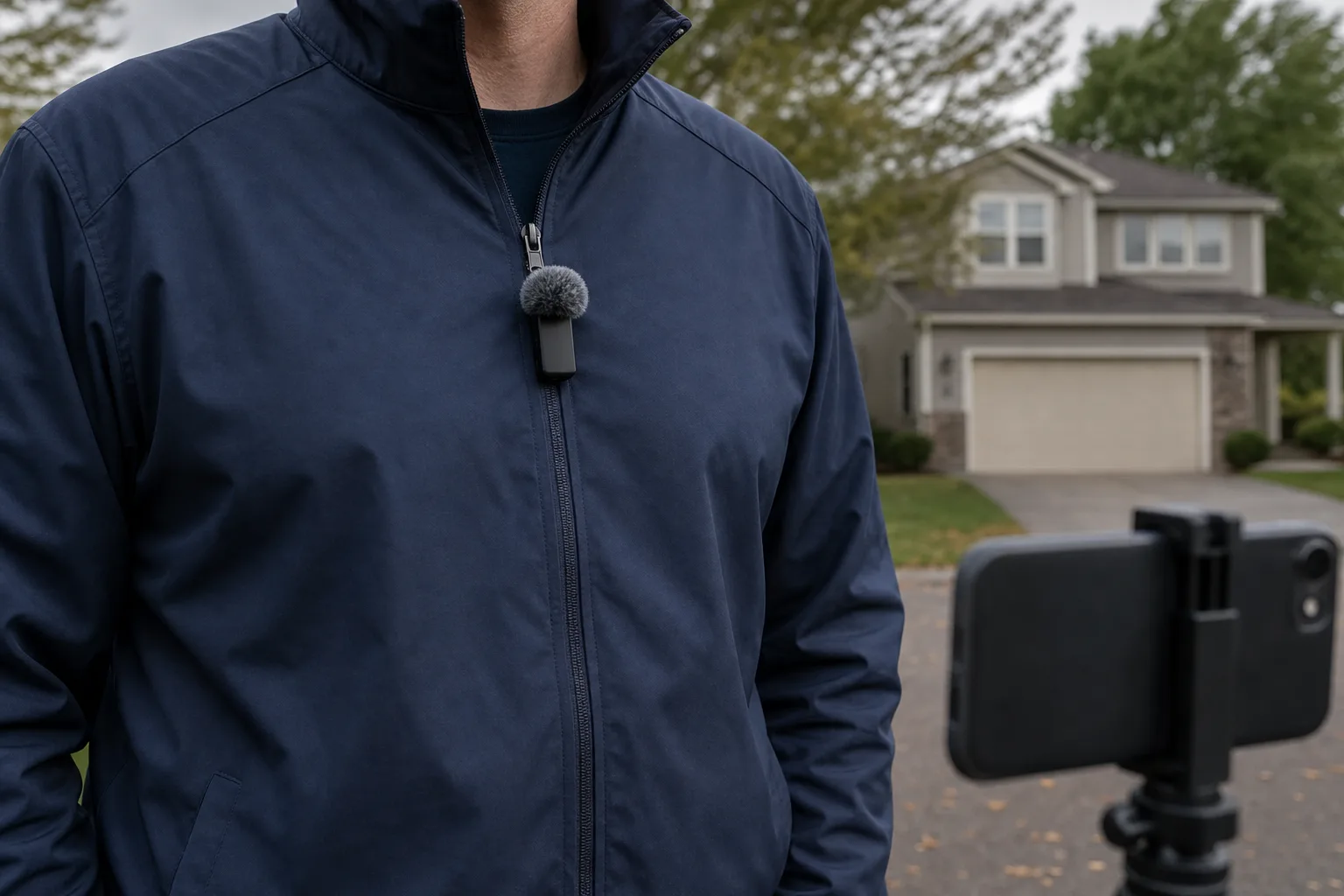
Every kit includes furry windscreens, and they belong on for any outdoor intro. The Wireless GO (Gen 3) windscreens twist and lock onto the transmitter, so they stay put on a walk, and its built-in mic with the windscreen on handles moving air better than a lavalier plugged into the same transmitter.
Noise cancelling is where the kits separate. DJI describes the Mic 3's Basic level as the one for steady indoor noise such as a fan or an air conditioner, and its Strong level as the one for noisy places. Strong removes more, at the cost of a slightly muffled voice. The Mic 3 can save the untouched recording next to the processed one in the transmitter, so a heavy-handed setting can be undone later.
The Lark Max 2 lets the amount be set anywhere from 5 to 25 dB. Turned all the way up beside a road, it removed less than the Mic 3, and at times it was hard to tell it was on.
For interviews with hidden mics
Rode Wireless PRO
The fullest voice tone here by a small margin, with two lavalier mics, timecode and a charging case in Rode's kit, and no noise cancelling.
- 32-bit float, 32 GB
- Up to 7 hours
- Two lavaliers in Rode's kit
Good for
- Client, lender and neighbor interviews
- Hiding the transmitter in a pocket
- Editing with timecode
Skip it if
- Street noise has to be removed at the mic
- A small transmitter worn in view matters most
Range, walls and dropouts
The Wireless PRO, Lark Max 2 and Mic 3 all hold a connection past 200 m outdoors, far beyond what a house needs. The Mic 3 stays the most constant at long distances. It also hops between the 2.4 GHz and 5 GHz bands, where Rode and Hollyland use 2.4 GHz only.
Walls change the picture. Hollyland's own figure for the Lark Max 2 without a line of sight is 60 m. Crowded airwaves are harder on any 2.4 GHz link: the Wireless GO (Gen 3) can drop for a moment on a downtown street full of phones and networks. The recording inside the transmitter stays clean when that happens, which is the reason to switch it on for every take.
The backup recording that saves a take
All four makers list 32-bit float recording inside the transmitter. A take that was too loud, such as a client laughing or an agent raising the voice over a mower next door, can be pulled back down afterward. On the Mic 3 and the Lark Max 2, 24-bit is the other choice.
Two details matter. First, Rode's guide for the Wireless GO (Gen 3) states that 32-bit float applies only to the recording inside the transmitter, not to the audio sent to the camera. Second, the backup only exists if it was started. In Manual mode the Wireless GO (Gen 3) records only after the button on each transmitter is pressed, which is easy to forget. Set the recording mode to Always in the Rode Central app and it runs whenever the transmitter is on. The Mic 3 vibrates when recording starts and stops, which helps in bright sun when the status light is hard to see.
On the Wireless GO (Gen 3), the safety channel sends the camera a second, quieter copy, but it merges both transmitters onto one track. The Wireless GO (Gen 3) has no timecode, so a backup file is lined up with the video by hand, and a clap at the start of each take helps. Rode's recording guide covers the modes.
Small kit with strong noise cancelling
DJI Mic 3
A 16 g transmitter with two-level noise cancelling, a steady connection at a distance and a case that stores the transmitters with windscreens on, with no way to plug in a lavalier.
- 16 g with magnet
- 8 hours
- 32-bit float, 32 GB
Good for
- Intros on a driveway or street
- Agents already using DJI cameras
- A small mic worn in view
Skip it if
- A hidden lavalier is required
- The mic must show no logo
Connecting to a phone and to a camera
For a phone with USB-C, the Rode receivers connect with the included USB-C cable, and Rode's Direct Connect pairs a transmitter to an iPhone over Bluetooth through the Rode Capture app with no receiver at all. Hollyland's Combo kits for the Lark Max 2 include a small second receiver that plugs into the phone's USB-C port. The Mic 3 can also pair straight to a phone over Bluetooth, but DJI says that works only with third-party apps and not the phone's own camera app. Its Lightning adapter is sold separately. Any of these pairs well with a phone gimbal.
On a mirrorless camera, each receiver sits in the shoe and feeds the mic jack through a short cable. The Mic 3's cable locks at the receiver, and its receiver has a touchscreen and a dial. On a camera gimbal, mount the receiver before balancing. The bodies in the camera comparison all have a mic input.
Two-person interviews
In split mode the Wireless GO (Gen 3) receiver puts one person on the left channel and the other on the right, so a soft-spoken client and a loud lender can be leveled separately. The Mic 3 and the Lark Max 2 can grow to four transmitters with extra purchases, and the Rode kits stop at two.
For phone video and long days
Hollyland Lark Max 2
A slim 14 g matte transmitter rated for about 11 hours per charge, with adjustable noise cancelling that removed less than the DJI Mic 3's beside a road.
- About 14 g
- About 11 hours
- 8 GB, 32-bit float
Good for
- Agents filming mostly on a phone
- Full days away from a charger
- A slim mic with a muted logo
Skip it if
- Loud streets are a regular backdrop
- All accessories should fit in the case
How visible each transmitter is on a shirt
The Rode transmitters are the largest and heaviest, with a glossy black face and a logo, and they tug at a thin shirt. The Wireless PRO answers that with two Lavalier II mics in Rode's kit: clip the tiny capsule to the placket and put the transmitter in a pocket. The Wireless GO (Gen 3) has the same locking input, with the lavalier bought separately.
The Mic 3 is small enough to wear in plain view, and its clip rotates and comes off so the magnet can hold it through a shirt. Its white logo faces the camera. The Lark Max 2 is a slim matte stick with a muted logo.
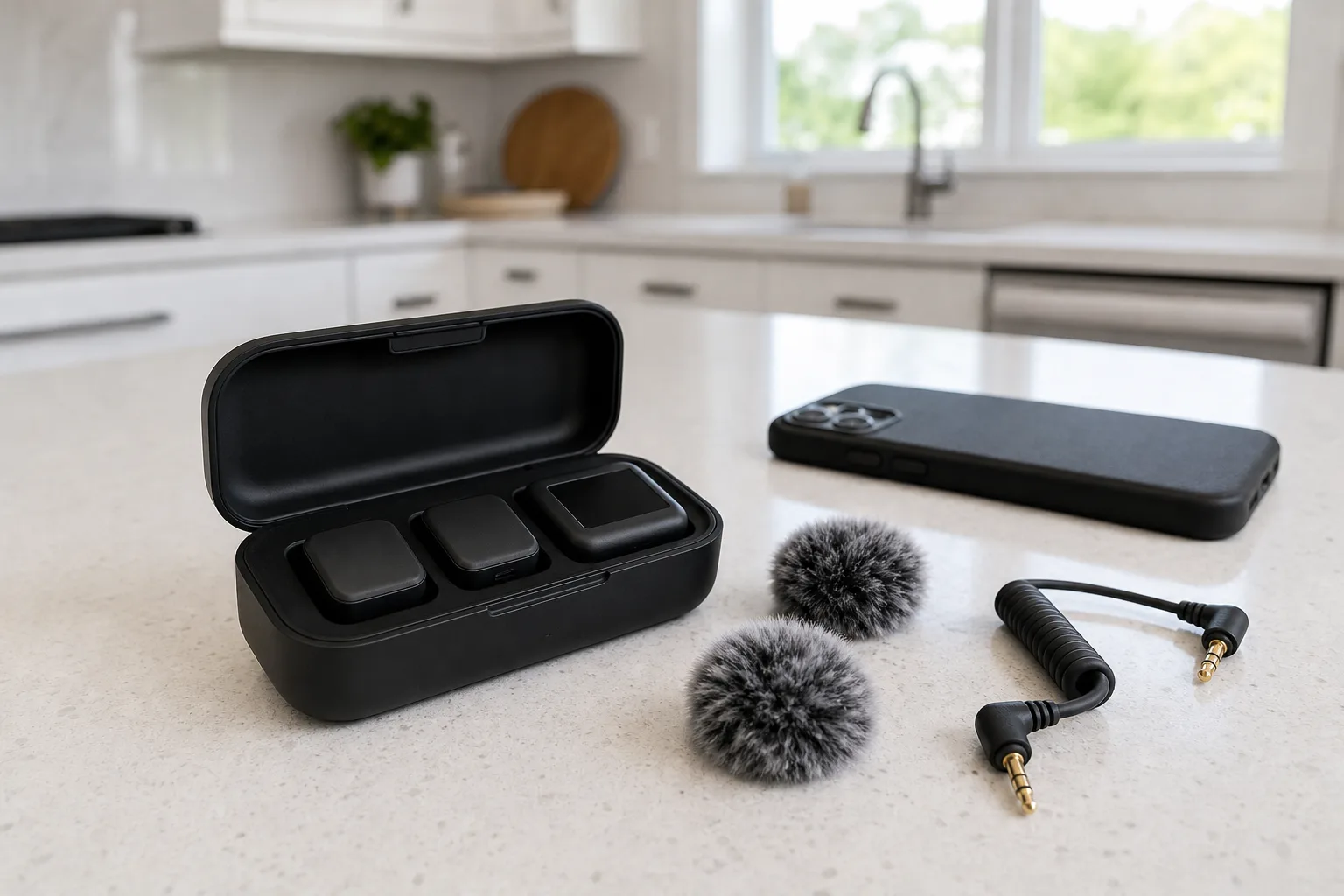
Battery through a day of shoots
Hollyland rates the Lark Max 2 at about 11 hours per transmitter and 36 hours with its case. DJI rates the Mic 3 at 8 hours and 28 with the case. The Rode transmitters run up to 7 hours, and the Wireless PRO's case holds two full recharges. The Wireless PRO and Mic 3 cases take the transmitters with windscreens attached. The Lark Max 2 case holds only the transmitters and receiver, so its windscreens and magnets travel in the pouch.
For most agent walkthroughs
Rode Wireless GO (Gen 3)
The same capsules and preamps as the Wireless PRO and a locking lavalier input, without timecode, lavalier mics or noise cancelling.
- 32-bit float backup
- Up to 7 hours
- 260 m stated range
Good for
- Agents narrating their own walkthroughs
- Phone and camera use from one kit
- Adding a lavalier later
Skip it if
- Takes are long and synced by timecode
- Noise cancelling is needed outdoors
The picks in detail
Rode Wireless GO (Gen 3)
The Rode Wireless GO (Gen 3) listing linked here is the kit with two transmitters, one receiver and a charging case. Rode's standard kit charges from a small hub instead. It is essentially the Wireless PRO's microphone without timecode: Rode states the same capsules and preamps, the same 2.4 GHz transmission and the same 260 m range for both.
For most agent walkthroughs
Rode Wireless GO (Gen 3)
The same capsules and preamps as the Wireless PRO and a locking lavalier input, without timecode, lavalier mics or noise cancelling.
- 32-bit float backup
- Up to 7 hours
- 260 m stated range
Good for
- Agents narrating their own walkthroughs
- Phone and camera use from one kit
- Adding a lavalier later
Skip it if
- Takes are long and synced by timecode
- Noise cancelling is needed outdoors
Rode Wireless PRO
The Rode Wireless PRO listing linked here is the kit with two transmitters, one receiver and the charging case. Rode lists two Lavalier II mics and magnetic clips in that kit. It has held up to regular paid shoots over a couple of years, and its case doubles as a dock for copying the backup files.
For interviews with hidden mics
Rode Wireless PRO
The fullest voice tone here by a small margin, with two lavalier mics, timecode and a charging case in Rode's kit, and no noise cancelling.
- 32-bit float, 32 GB
- Up to 7 hours
- Two lavaliers in Rode's kit
Good for
- Client, lender and neighbor interviews
- Hiding the transmitter in a pocket
- Editing with timecode
Skip it if
- Street noise has to be removed at the mic
- A small transmitter worn in view matters most
DJI Mic 3
The DJI Mic 3 listing linked here is the kit with two transmitters, one receiver and the charging case. The transmitter also connects directly to DJI's Osmo Pocket 3, Osmo Action 4, Osmo Action 5 Pro and Osmo 360 with no receiver. DJI's spec page has the full list.
Small kit with strong noise cancelling
DJI Mic 3
A 16 g transmitter with two-level noise cancelling, a steady connection at a distance and a case that stores the transmitters with windscreens on, with no way to plug in a lavalier.
- 16 g with magnet
- 8 hours
- 32-bit float, 32 GB
Good for
- Intros on a driveway or street
- Agents already using DJI cameras
- A small mic worn in view
Skip it if
- A hidden lavalier is required
- The mic must show no logo
Hollyland Lark Max 2
Hollyland sells the Hollyland Lark Max 2 in several kits, so check which kit the listing shows before ordering. The Combo has two transmitters, a camera receiver, a USB-C receiver and a charging case. The Ultimate Combo adds wireless monitoring earphones and two lavalier mics. The 8 GB of storage holds about 10 hours of 32-bit float audio, and files come off each transmitter's own USB-C port because the case only charges. Hollyland's product page lists each version.
For phone video and long days
Hollyland Lark Max 2
A slim 14 g matte transmitter rated for about 11 hours per charge, with adjustable noise cancelling that removed less than the DJI Mic 3's beside a road.
- About 14 g
- About 11 hours
- 8 GB, 32-bit float
Good for
- Agents filming mostly on a phone
- Full days away from a charger
- A slim mic with a muted logo
Skip it if
- Loud streets are a regular backdrop
- All accessories should fit in the case
Who should buy which
- Agents who mostly narrate their own walkthroughs: the Rode Wireless GO (Gen 3).
- Agents who interview clients, lenders and neighbors on camera: the Rode Wireless PRO.
- Agents who record outdoors next to traffic, or who own a DJI camera: the DJI Mic 3.
- Agents who film on a phone and work long days between charges: the Hollyland Lark Max 2.
Posted by Kristopher Larson
Frequently asked questions
Is a wireless microphone worth it for real estate video shot on a phone?
Yes, for any clip where the agent talks. A phone's own microphone sounds thinner with every step the speaker takes away from it, and an empty room adds echo on top. A clip-on transmitter stays a few inches below the mouth in every room and outdoors. Hollyland's Lark Max 2 Combo kits include a small receiver that plugs into a USB-C phone, and the Rode kits connect with a USB-C cable.
What does 32-bit float recording do on a wireless microphone?
It lets a recording that was too loud or too quiet be corrected afterward without distortion or added hiss. The Rode Wireless GO (Gen 3), Rode Wireless PRO, DJI Mic 3 and Hollyland Lark Max 2 all offer it for the backup file stored inside each transmitter. Rode states that on the Wireless GO (Gen 3) it does not apply to the audio sent to the camera, so the backup has to be recording for the protection to count.
Do wireless clip-on microphones work through walls?
They work, with far less range than the open-air figure on the box. Hollyland rates the Lark Max 2 at 340 m with a clear line of sight and 60 m without one, which is still longer than most houses. Nearby Wi-Fi and phones can cause a brief dropout, which is why the recording inside the transmitter should be on for every take.
What reduces echo when recording narration in an empty house?
Distance matters most. Clip the microphone at the center of the chest or on the collar, directly under the mouth, so the voice is much louder than the room, or use a lavalier a few inches below the chin. A microphone on the camera picks up more of the room with every step the speaker takes away. Record a short clip in the emptiest room first and move the mic closer if the voice sounds distant.
What is the difference between the Rode Wireless PRO and the Rode Wireless GO (Gen 3)?
Rode says the Wireless GO (Gen 3) uses the same capsules and preamps as the Wireless PRO, and both record a 32-bit float backup in each transmitter with a stated range of 260 m. The Wireless PRO adds timecode, and Rode's kit for it includes two Lavalier II mics, magnetic clips and a charging case. Rode's standard Wireless GO (Gen 3) kit comes with a charging hub, and its Charge Case+ is also sold separately.
Can a lavalier microphone be plugged into the DJI Mic 3?
No. The DJI Mic 3 transmitter has no microphone input, so it is worn in view on a shirt or collar. Both Rode transmitters have a locking 3.5 mm input, and the Hollyland Lark Max 2 accepts a lavalier through a USB-C to 3.5 mm adapter. For a hidden mic on a client or lender, the Rode Wireless PRO is the kit that Rode sells with two lavaliers.
Keep reading
More from the blog
Best Walkie Talkies: Rocky Talkie vs. Motorola Talkabout vs. Midland X-Talker for Hiking, Skiing and Outages
Best Robotic Pool Cleaners: Corded vs. Cordless, Beatbot vs. Aiper vs. Dolphin vs. ECOVACS
Doomsday Prep Essentials: A Home Emergency Checklist for Outages, Storms and Evacuations