Best Walking Pad for a Standing Desk: UREVO E4W vs CyberPad vs Goplus
Under-desk walking pads compared: belt length, noise on calls in dB, slowest speed, incline vs typing, desk-height math, pause and warranty. Three picks.
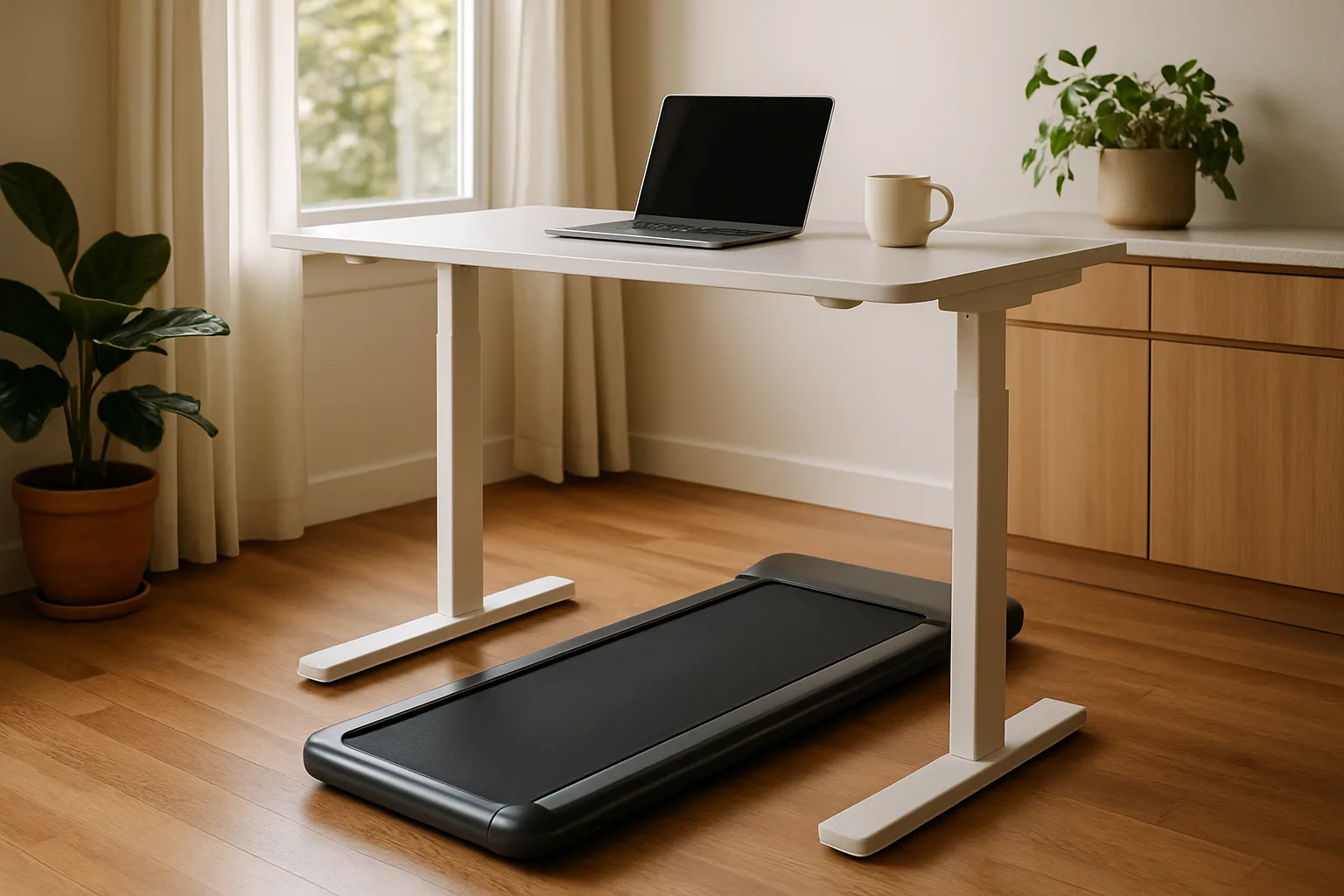
A walking pad is a stripped-down treadmill with no tall console. It slides under a standing desk so the workday includes some slow, steady walking instead of eight hours in a chair. Most of them look alike on a product page: a 4 mph top speed, a remote, an app. The real differences: deck length, noise on a call, how slow it goes and whether it fits under the desk at all. Here is what matters, then three worth buying.
Quick verdict
- Best for most home offices: the UREVO E4W Walking Pad. It has the essentials of the CyberPad, including the same belt length, the same slow 0.6 mph floor and step counting from sensors in the deck. The belt is a little narrower, and it can't be stored standing up.
- Best overall: the UREVO CyberPad Walking Pad. It is the quietest and widest of its group, adjusts speed in fine 0.1 mph steps, has an auto incline and stands upright against a wall for storage.
- For walking at the desk and running away from it: the Goplus 2 in 1 Folding Treadmill. A fold-up handrail turns it into a small treadmill with a much higher top speed. The catches: it can't pause, and its warranty is very short.
The walking pads side by side
| Walking pad | Shop | Belt (length × width) | Speed range | Noise | Storage | Pause and steps | Warranty |
|---|---|---|---|---|---|---|---|
| UREVO E4W Walking Pad |  View on Amazon View on Amazon
| 39.5 × about 15 in | 0.6–4 mph, 0.2 mph steps | 49 dB low, 60 dB at 2 mph, 70 dB at 4 mph | Rolls on wheels; not meant to stand upright | Pauses; counts steps with deck sensors | 1 year |
| UREVO CyberPad Walking Pad |  View on Amazon View on Amazon
| 39.5 × 16.5 in | 0.6–4 mph, 0.1 mph steps; auto incline | 46 dB low, 60 dB at 2 mph, 66 dB at 4 mph | Stands upright against a wall | Pauses; counts steps with deck sensors | 1 year |
| Goplus 2 in 1 Folding Treadmill |  View on Amazon View on Amazon
| Listed 40 × 16 in; measures about 15.75 in wide | 0.6–2.5 mph folded; up to about 7.5 mph with the rail up | Quiet belt; some gear noise | Rolls on wheels; heaviest of its group | No pause; shutting off erases the session | 3 months (check the listing) |
| WalkingPad Z1 | Almost 48 × 15.5 in | 1–4 mph | 55 dB low, 60 dB at 2 mph, 70 dB at 4 mph | Folds in half | Pauses | 1 year | |
| GoYouth 2-in-1 | View on Amazon
| Longest of its group; about 16 in wide | About 0.3–3.7 mph (set in km/h) | Quieter than the FlexiSpot | Lightest of its group | Pauses; step counter; auto-stop targets | 1 year |
Best for home offices
UREVO E4W Walking Pad
The CyberPad's belt length, slow 0.6 mph floor and deck-sensor step counting, nearly as quiet, with a remote mute button and an app.
- 39.5 in belt
- 0.6 to 4 mph
- 2.5 HP (per UREVO)
Good for
- Walking while you work
- Calls (49 dB at its slowest)
Skip it if
- Upright storage
- Wide strides (a slightly narrower belt)
Belt length matters more than width
Attention drifts while answering email or reading, cadence slows a little, and the walker drifts toward the back edge. A longer deck gives more room before a foot slips off the end. The WalkingPad Z1's almost 48-inch belt is the most forgiving; both UREVO models run 39.5 inches, enough for a walker close to 6 feet tall.
Width still counts for anyone who sways or walks with toes pointed out. The CyberPad's 16.5 inches is roomy for this class; the E4W is 1.5 inches narrower, which takes little getting used to. Check what sits beside the belt, too. On the Goplus, the side bolsters sit noticeably higher than the belt and are made of thin plastic, so a missed step feels alarming. On the Z1, CyberPad, GoYouth and FlexiSpot, the edges sit close to level with the belt and a misstep is easy to recover from. At the narrow extreme, the Sunny WalkStation Slim's belt is just 14 inches wide.
Noise on calls
A walking pad at desk speed is roughly as loud as a conversation. The UREVO E4W, CyberPad and WalkingPad Z1 all register about 60 dB at 2 mph, and the NIDCD puts normal conversation at 60 to 70 dBA. At 4 mph the CyberPad stays lowest at 66 dB, while the E4W and Z1 reach 70 dB.
The kind of noise matters as much as the level. The FlexiSpot auto-incline pad's motor is close to silent, but its belt makes a high-pitched whine from about 1 mph that grows with speed and incline, the kind of sound a laptop microphone picks up. The Goplus belt stays free of that whine even at higher speeds. A brushless motor, which UREVO lists on the CyberPad, generally runs quieter. For meetings, a headset with a noise-cancelling microphone is the safe choice. Both UREVO remotes also have a mute button for their beeps.
Best overall
UREVO CyberPad Walking Pad
The most comfortable pad of its group: a 16.5-inch belt, the lowest noise at every speed and fine 0.1 mph steps, and it stands upright for storage.
- 16.5 in belt
- 0.1 mph steps
- Stores upright
Good for
- Frequent video calls
- Small rooms (stores upright)
Skip it if
- You want incline while typing
Slow speeds and small steps
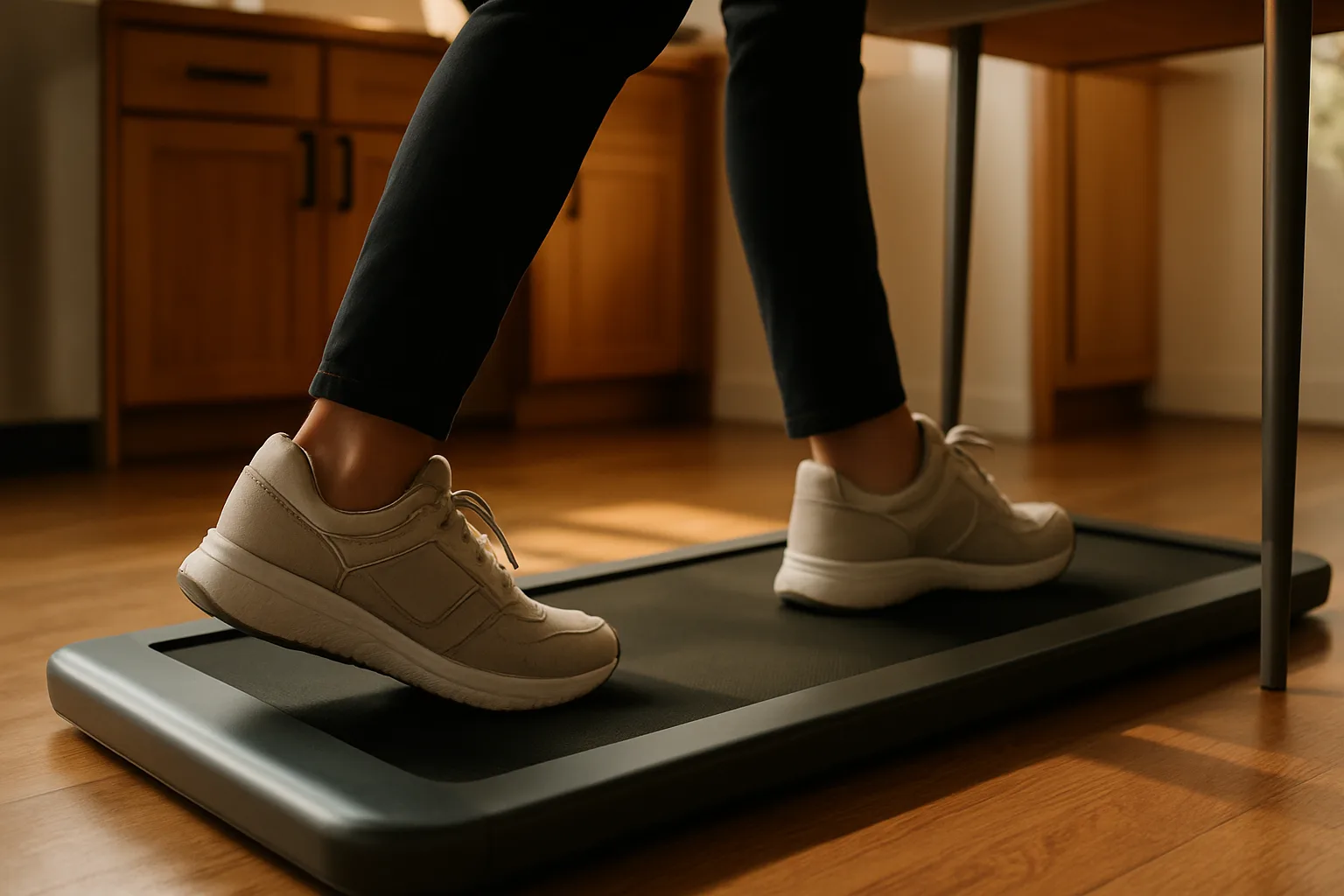
Around 2 mph is a sensible ceiling for keyboard work, closer to 2.7 to 2.8 mph while watching or listening to something, and around 3.8 mph is a light jog. Even 2.5 mph borders on power walking for many people at a desk. So the low end of the range matters more than the top speed.
- 0.6 mph floor: both UREVO pads, the Goplus in folded mode and the FlexiSpot can crawl along at 0.6 mph.
- 1 mph floor: the WalkingPad Z1 won't go below 1 mph, which is too fast for some people while typing.
- Step size: the CyberPad adjusts in 0.1 mph steps and the E4W in 0.2 mph steps. The Z1's remote jumps 0.5 mph at a time; its app allows 0.1.
Incline and typing don't mix
Auto incline sounds like a free upgrade, but it fights the keyboard. Even a few percent of incline pushes the body into a forward lean, and steeper settings feel like being pulled away from the desk. Every bit of incline also raises the walker, so the desk has to go higher again. Treat incline as something for breaks away from the keyboard, not working hours.
Walk and run
Goplus 2 in 1 Folding Treadmill
Walks from 0.6 to 2.5 mph folded flat, and raising the handrail turns it into a small treadmill with a much higher top speed and a safety cord.
- 0.1 mph steps
- Fold-up handrail
- Magnetic safety cord
Good for
- Someone who also wants to run
Skip it if
- Pausing mid-call (it can't)
- A long warranty
Desk-height math
A walking pad lifts the walker by its own thickness. A 5-foot-6 person whose desk normally sits around 40 inches needs about 44.6 inches on a pad that is 4.6 inches tall. Many standing desks top out around 45 to 46 inches, so taller users may run out of travel. The desk setup guide covers monitor and keyboard height.
Two-in-one pads add another constraint. The Goplus handrail stands about 43 inches tall in treadmill mode, so the desk has to clear roughly 43.5 to 44 inches or the rail hits it. Its clip-on phone holder adds about 1.5 inches and sits at an angle that strains the neck. Leave it off.
Pause, step counts and auto-stop
A pause button matters for quick breaks. The UREVO pads and WalkingPad Z1 can pause, and the GoYouth and FlexiSpot hold the session's numbers on screen while paused. The Goplus can't pause: turning it off wipes the time and distance, and turning it back on starts at zero.
Step counting is where the sensor matters. Watches and fitness bands count steps from arm swing, which barely happens with hands on a keyboard. Both UREVO pads use pressure sensors in the deck to register each footfall, and the CyberPad can sync that data to Apple Health. The GoYouth also counts real footfalls, but keeps the count on the machine with no way to export it. It can stop itself at a set target, such as 30 minutes, 10,000 steps or 3 miles, which none of the others do.
Best for home offices
UREVO E4W Walking Pad
The CyberPad's belt length, slow 0.6 mph floor and deck-sensor step counting, nearly as quiet, with a remote mute button and an app.
- 39.5 in belt
- 0.6 to 4 mph
- 2.5 HP (per UREVO)
Good for
- Walking while you work
- Calls (49 dB at its slowest)
Skip it if
- Upright storage
- Wide strides (a slightly narrower belt)
Folding or standing upright
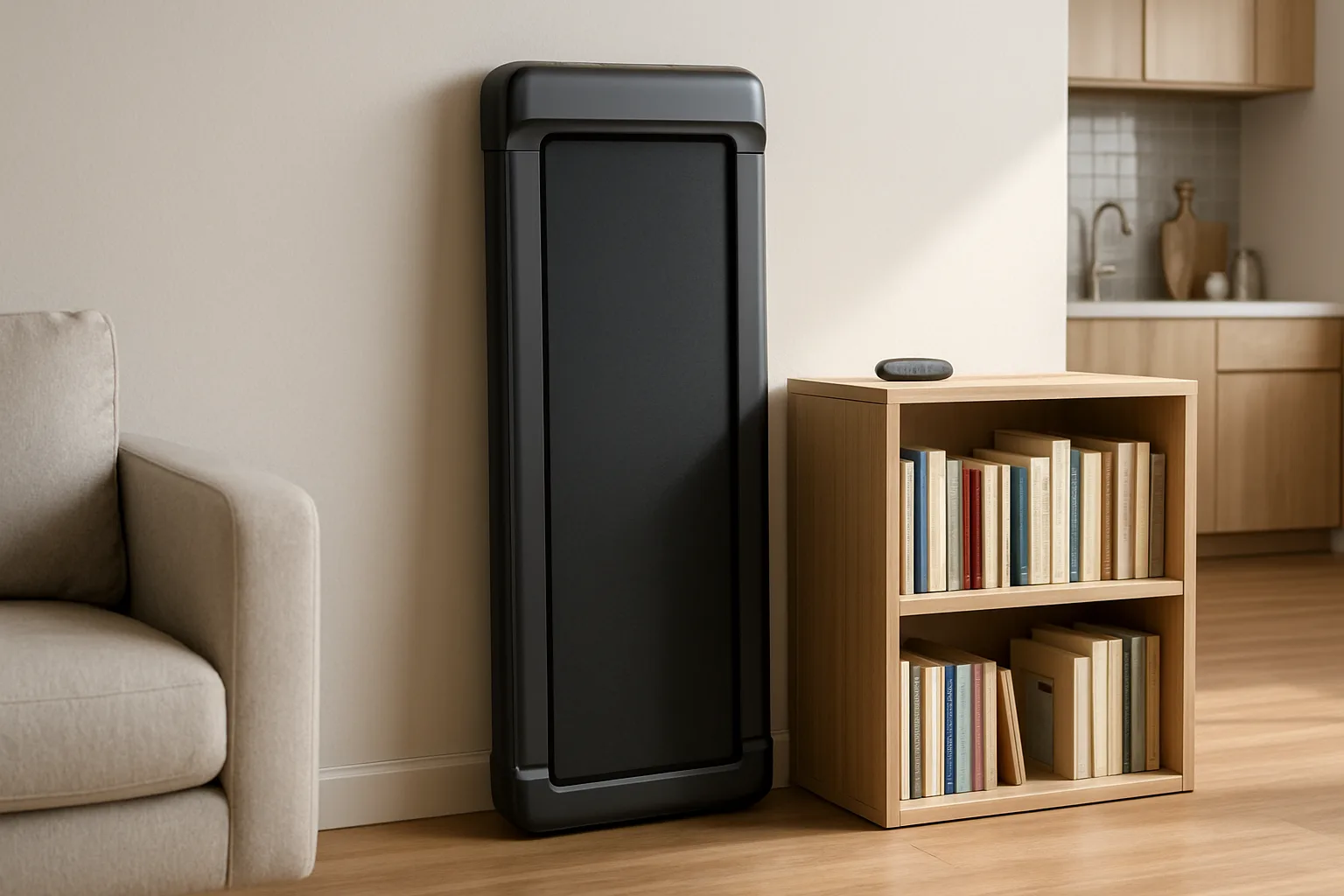
Folding has costs. On the WalkingPad Z1, the hinge seam can be felt underfoot on every step, which gets irritating fast. Another folding WalkingPad model starts to fold whenever the back end is lifted to wheel it, which makes moving it clumsy. The CyberPad sidesteps the problem by standing on end against a wall, held by grips at the bottom. The E4W rolls on wheels but isn't built to stand upright, because its power button is on the underside.
Weight limit and warranty
UREVO lists the E4W for users up to 265 pounds. The GoYouth carries the highest rating of its group at 300 pounds, and the Sunny WalkStation Slim is rated for 220.
Warranties are short across the category. The two UREVO pads, the Z1 and the GoYouth come with one year and the FlexiSpot with two. The Goplus has come with just three months, shorter than some return windows, so check the current coverage on the listing before buying.
Best overall
UREVO CyberPad Walking Pad
The most comfortable pad of its group: a 16.5-inch belt, the lowest noise at every speed and fine 0.1 mph steps, and it stands upright for storage.
- 16.5 in belt
- 0.1 mph steps
- Stores upright
Good for
- Frequent video calls
- Small rooms (stores upright)
Skip it if
- You want incline while typing
The picks in detail
UREVO E4W Walking Pad
The E4W is the version of the E4 with a wood-look strip along the side. It shares the CyberPad's 39.5-inch belt length, 0.6 to 4 mph range and pressure-sensor step counting, and it is nearly as quiet: 49 dB at its slowest, about 60 dB at 2 mph. The deck display cycles speed, distance, time, steps and calories, the remote has a mute button, and the app adds control, history and workouts. UREVO lists a 2.5 HP motor. The trade-offs are a belt 1.5 inches narrower than the CyberPad's, coarser 0.2 mph speed steps and no upright storage.
Best for home offices
UREVO E4W Walking Pad
The CyberPad's belt length, slow 0.6 mph floor and deck-sensor step counting, nearly as quiet, with a remote mute button and an app.
- 39.5 in belt
- 0.6 to 4 mph
- 2.5 HP (per UREVO)
Good for
- Walking while you work
- Calls (49 dB at its slowest)
Skip it if
- Upright storage
- Wide strides (a slightly narrower belt)
UREVO CyberPad Walking Pad
The CyberPad is the most comfortable pad of its group: a 16.5-inch belt, the lowest noise at every speed and fine 0.1 mph speed steps for finding the right pace. The readout lives on the handheld controller, which cycles through time, distance and steps. The remote also handles incline, mute and the RGB lights, and the app is clean. It stands up against a wall for storage. Few will use the incline while typing.
Best overall
UREVO CyberPad Walking Pad
The most comfortable pad of its group: a 16.5-inch belt, the lowest noise at every speed and fine 0.1 mph steps, and it stands upright for storage.
- 16.5 in belt
- 0.1 mph steps
- Stores upright
Good for
- Frequent video calls
- Small rooms (stores upright)
Skip it if
- You want incline while typing
Goplus 2 in 1 Folding Treadmill
The Goplus does the most. Folded flat, it walks from 0.6 to 2.5 mph in 0.1 mph steps. Raise the handrail and it becomes a small treadmill with a much higher top speed, plus a magnetic safety cord that stops the belt if the runner falls away. Its belt runs quietly. The downsides are real: it measures about 15.75 inches wide despite the 16-inch listing, the raised plastic side bolsters make a misstep unnerving, it cannot pause, the remote has only power and speed buttons, and the app is not worth counting on. It is also the heaviest of its group. Buy it for the treadmill mode, not as the best desk pad.
Walk and run
Goplus 2 in 1 Folding Treadmill
Walks from 0.6 to 2.5 mph folded flat, and raising the handrail turns it into a small treadmill with a much higher top speed and a safety cord.
- 0.1 mph steps
- Fold-up handrail
- Magnetic safety cord
Good for
- Someone who also wants to run
Skip it if
- Pausing mid-call (it can't)
- A long warranty
Start simple, upgrade if the habit sticks
Plenty of exercise gear becomes a coat rack after a few intense months. Start with a pad that covers the basics, like the E4W. If it is still in daily use when the motor wears out, then step up to a better-built machine. A good chair still matters on the days spent sitting; the refurbished office chair guide covers what to look for.
Walk and run
Goplus 2 in 1 Folding Treadmill
Walks from 0.6 to 2.5 mph folded flat, and raising the handrail turns it into a small treadmill with a much higher top speed and a safety cord.
- 0.1 mph steps
- Fold-up handrail
- Magnetic safety cord
Good for
- Someone who also wants to run
Skip it if
- Pausing mid-call (it can't)
- A long warranty
Who should buy which
- Most people walking while they work: the UREVO E4W Walking Pad.
- Frequent video calls, wide strides or a small room where it stores upright: the UREVO CyberPad Walking Pad.
- Someone who also wants to run on it: the Goplus 2 in 1 Folding Treadmill, accepting no pause and a short warranty.
Posted by Kristopher Larson
Frequently asked questions
What is the best walking pad for under a standing desk?
For most home offices, the UREVO E4W Walking Pad is the best fit: a 39.5-inch belt, a 0.6 mph minimum speed, step counting from sensors in the deck and quiet running. The UREVO CyberPad adds a wider 16.5-inch belt, finer speed control, an auto incline and upright storage.
Are walking pads quiet enough for video calls?
Mostly, with a good headset. At 2 mph the quieter pads register about 60 dB, close to normal conversation. The bigger risk is a high-pitched belt whine, which some pads develop once the speed passes about 1 mph and which a laptop microphone can pick up. A headset with a noise-cancelling mic is the safest setup for meetings.
How fast should you walk on a walking pad while working?
Around 2 mph is a comfortable ceiling for typing, and many people prefer slower. That makes the minimum speed important: a pad that starts at 0.6 mph is easier to work on than one that won't go below 1 mph. Save faster speeds, around 2.7 mph and up, for calls or videos where the hands are free.
How tall does a standing desk need to be for a walking pad?
Add the pad's thickness to the desk height normally used. On a 4.6-inch pad, a desk that normally sits at 40 inches has to reach about 44.6 inches. Many standing desks max out around 45 to 46 inches, so taller users should check the desk's maximum height first. Incline raises the walker further.
Is a longer or wider walking pad belt better?
Length usually matters more. A distracted walker tends to drift back as their pace slips, and a longer belt leaves more room before a foot reaches the end. Width helps people who sway or walk with toes out; around 16 inches is comfortable, and 14 inches feels tight.
Does a walking pad count steps accurately?
Pads with pressure sensors in the deck count each footfall, which is more reliable at a desk than a watch, because a watch counts steps from arm swing and hands on a keyboard barely move. Both UREVO pads use deck sensors, and the CyberPad can sync to Apple Health.
Keep reading
More from the blog
Traeger Flatrock vs. Blackstone: Which Flat Top Griddle to Buy
Best Pizza Oven: Gozney Arc XL vs. Arc Lite vs. Solo Stove Pi Prime vs. Roccbox
How to Store Rolex and Omega Watches: Watch Winders, Watch Boxes, Safes and the Right Settings