
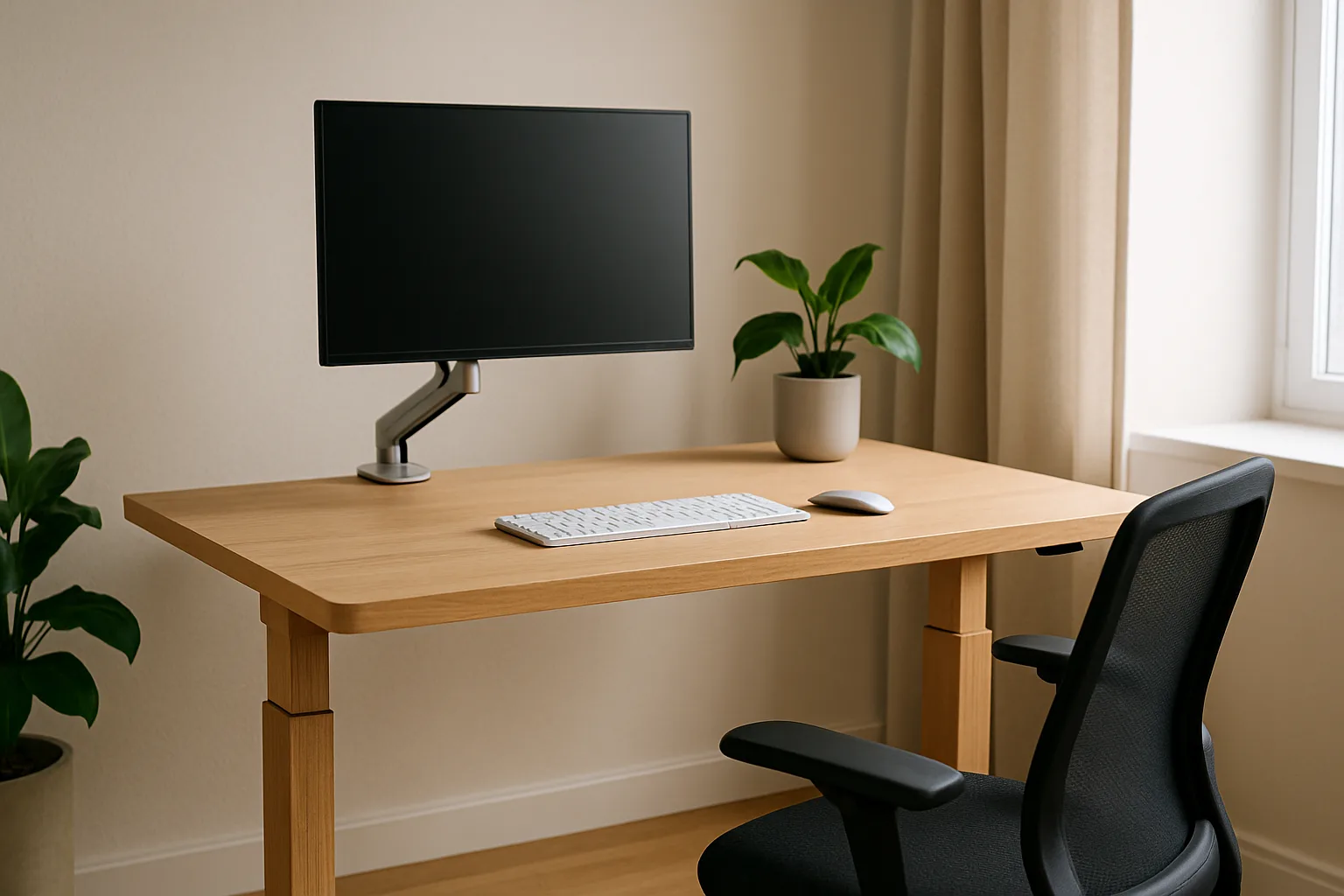
Desk Setup Upgrades That Actually Matter: Monitor Arm, Chair, Lighting, Cables and Standing Desk
Home office upgrades ranked by impact: monitor height and arms, chair adjustments from OSHA guidance, glare-free lighting, cable trays and standing desks.
Most desk setup advice starts with gadgets. The upgrades that actually change how a workday feels start with geometry: where the eyes land on the screen, where the elbows sit relative to the keyboard, whether the lower back is supported, and whether the light in the room is fighting the monitor. Get those right and a modest desk works well. Get them wrong and no amount of accessories will fix the neck ache at 3 p.m.
This guide ranks home office upgrades by how much they improve comfort per dollar, using OSHA's computer workstation guidance as the baseline, and names specific products that meet the specs for each.
As an Amazon Associate, Best Utah Real Estate earns from qualifying purchases.
Quick verdict: what to upgrade first
- Monitor position. A monitor arm such as the Ergotron LX Monitor Arm (premium) or the Amazon Basics Adjustable Single Monitor Arm (budget) fixes screen height and distance, the most common setup mistake.
- The chair. Adjustable lumbar support, seat height and seat depth matter more than any styling. The Steelcase Series 1 is a mid-range chair from an office-furniture maker that covers those adjustments.
- Lighting and glare. A monitor light bar such as the BenQ ScreenBar lights the desk without bouncing off the screen.
- Cable management. An under-desk tray such as the Scanfield Under Desk Cable Management Tray is a budget fix that makes the desk easier to clean and safer to raise and lower.
- A standing desk, such as the FlexiSpot 4-Leg Standing Desk (55" x 28"), is the biggest purchase and pays off most for people who will actually switch positions through the day.
Upgrades compared
| Upgrade | Problem it solves | Key spec to check | Price tier | Impact |
|---|---|---|---|---|
| Monitor arm | Screen too low, too close or at the wrong angle | Monitor weight and VESA pattern within the arm's range; desk thickness for the clamp | Budget to premium | High |
| Ergonomic chair | Low-back fatigue, feet not flat, thighs unsupported | Adjustable lumbar, seat height, seat depth, recline | Mid-range to premium | High |
| Monitor light bar or task lamp | Glare, dim desk surface, eye strain at night | Clamp fit for monitor thickness; adjustable color temperature | Mid-range | Medium |
| Cable tray and ties | Tangled power strips, cords snagging on a moving desk | Length, mounting method (screw, clamp or adhesive) | Budget | Medium |
| Standing desk | Long unbroken sitting | Height range for both sitting and standing elbow height; load rating; motor count | Premium | High if used |
Monitor height and distance: the free fix that most setups miss
The OSHA computer workstations eTool lays out simple targets:
- Distance: directly in front of the user and at least 20 inches away, with 20 to 40 inches from the eyes to the screen as the preferred range.
- Height: the top line of text at or below eye level, with the center of the screen about 15 to 20 degrees below horizontal eye level.
- Tilt: roughly perpendicular to the line of sight, usually tilted back no more than 10 to 20 degrees.
- Windows: the screen placed perpendicular to a window rather than facing it or backed against it.
Laptops are the worst offenders, because the screen sits far below eye level whenever the keyboard is at a comfortable height. The fix is a laptop stand plus a separate keyboard and mouse, or an external monitor.
Many monitors ship with stands that tilt but barely raise or slide. A stack of books can solve height for free. A monitor arm solves height, distance and angle together, and it clears desk space by lifting the stand's footprint off the surface.
Choosing a monitor arm
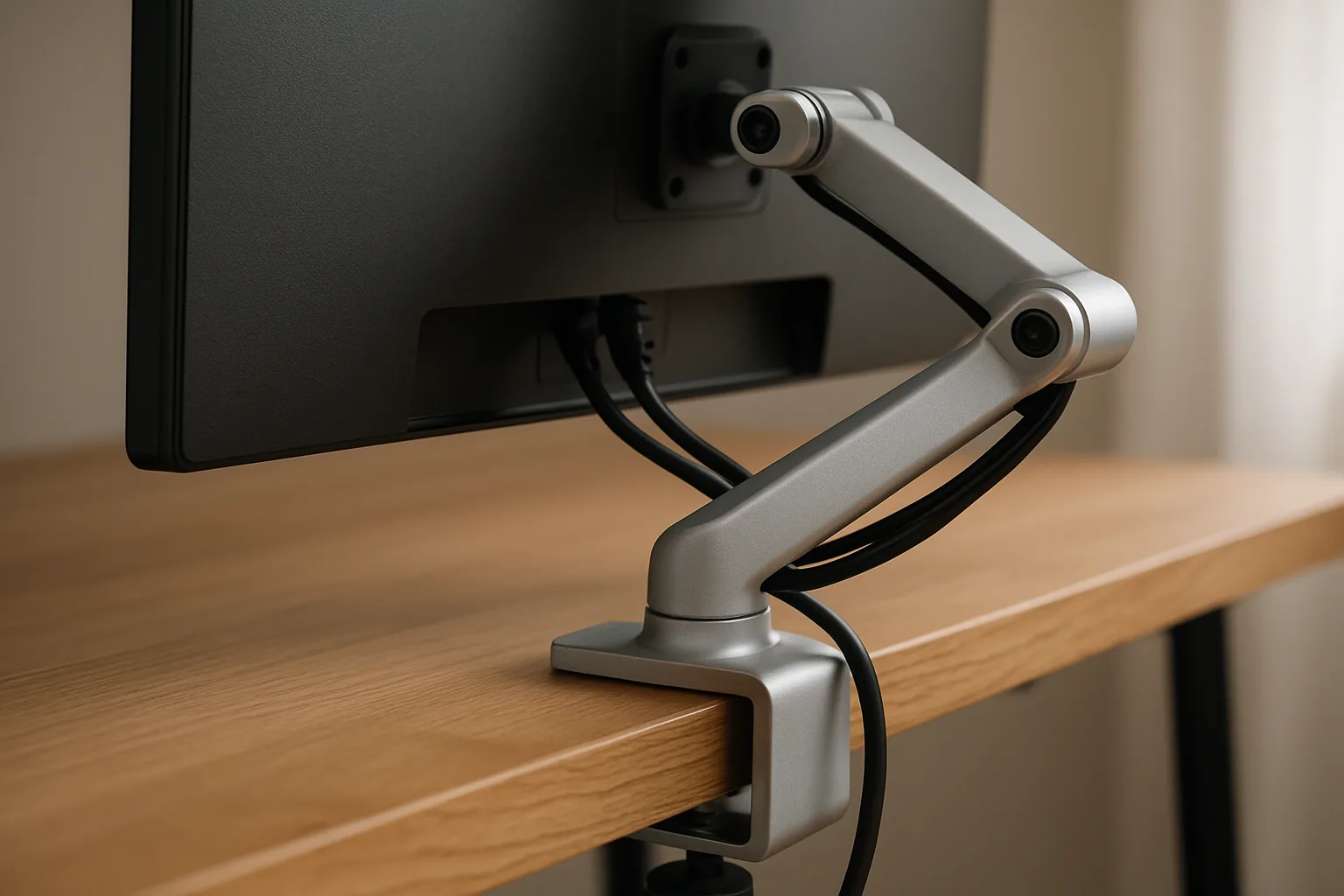
Three numbers decide fit: the monitor's weight (without its stand), its VESA mounting pattern (usually 75 x 75 or 100 x 100 mm on the back) and the desk's thickness at the clamp point.
- The Ergotron LX is the long-running reference arm. Ergotron lists support for screens up to 34 inches and roughly 7 to 25 pounds, about 13 inches of lift, a desk clamp for surfaces about 0.4 to 2.4 inches thick and a grommet option for desks with a cable hole.
- The Amazon Basics Adjustable Single Monitor Arm is the budget alternative, listed for screens up to 32 inches (38-inch ultrawide) and 22 pounds, with adjustable spring tension and VESA 75 and 100 support.
Gas-spring arms have a minimum weight as well as a maximum. A very light monitor on a strong arm will drift upward unless the tension can be dialed down, so check both ends of the range. Thin or particleboard desks also benefit from a reinforcement plate under the clamp.
The chair: adjustability beats padding
OSHA's chair guidance is short and practical. A good task chair has height-adjustable lumbar support that fits the lower back, a backrest that reclines at least 15 degrees from vertical and locks, a seat height that lets the feet rest flat with the back of the knee just above the seat edge, and a seat pan that adjusts in depth so taller people get thigh support while shorter people can still reach the backrest. Armrests are optional, but if present they should be adjustable and low enough that the shoulders stay relaxed.
The Steelcase Series 1 is a common recommendation at the lower end of the office-furniture price range. It uses a flexing LiveBack backrest, weight-activated recline (no tension knob to set), adjustable lumbar support and an adjustable seat depth. Check the listing for the caster type, since Steelcase sells separate carpet and hard-floor versions, and for the arm configuration, which varies by model.
A refurbished commercial chair is another way to get full adjustability on a smaller budget. This guide on choosing a high-quality refurbished office chair covers what to inspect.
If the chair cannot go low enough for the feet to rest flat once the desk is at the right height, a footrest closes the gap. That is a better fix than raising the chair and leaving the feet dangling.
Keyboard and elbow height
OSHA's keyboard guidance pairs with the chair: elbows at about the same height as the keyboard, hanging comfortably at the sides, forearms roughly parallel to the floor, and wrists straight rather than bent up, down or sideways. The work surface itself should generally be no more than 2 inches thick so there is room for the thighs underneath. If a fixed desk is too tall, an adjustable keyboard tray is a cheaper fix than a new desk.
Lighting: light the desk, not the screen
Eye strain often comes from contrast and glare rather than the monitor itself: a bright screen in a dark room, or a window or ceiling fixture reflecting off the panel. Useful moves:
- Turn the desk so the window is to the side, as OSHA recommends.
- Keep some ambient light on in the evening so the screen is not the brightest thing in the room.
- Add task light aimed at the desk surface rather than at the screen.
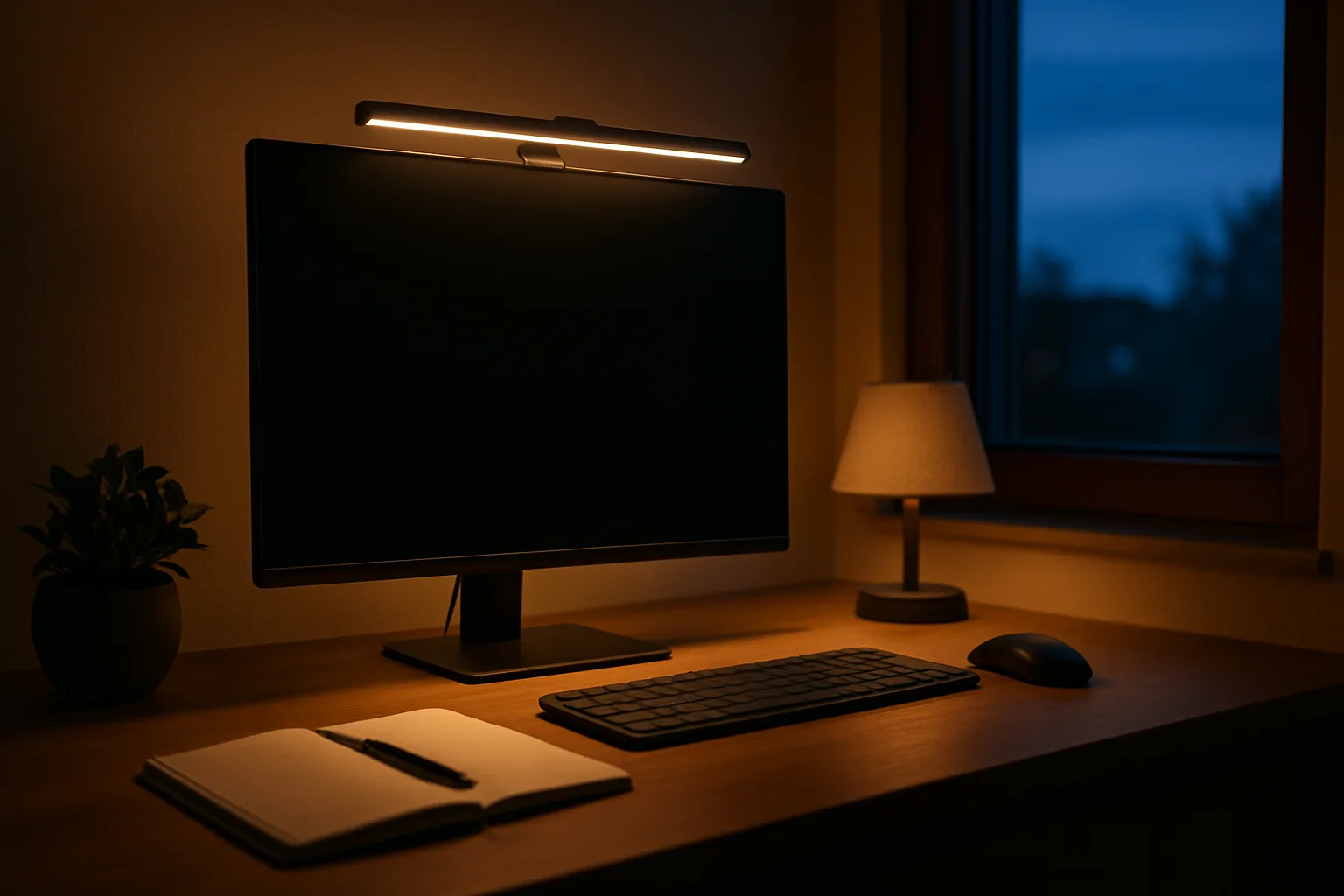
A monitor light bar does the last job neatly. The BenQ ScreenBar clips to the top of the monitor, runs off USB, throws an asymmetric beam down onto the desk so it does not reflect off the screen, and adjusts from warm 2700K to cool 6500K with an auto-dimming sensor. BenQ lists it for monitors about 0.4 to 1.2 inches thick at the top edge, so very thin or very thick bezels may need a different model. Warmer light in the evening also helps a home office blend into the rest of the house, a theme covered in this guide on making a room feel cozy.
Cable management: cleaner, safer, easier to move
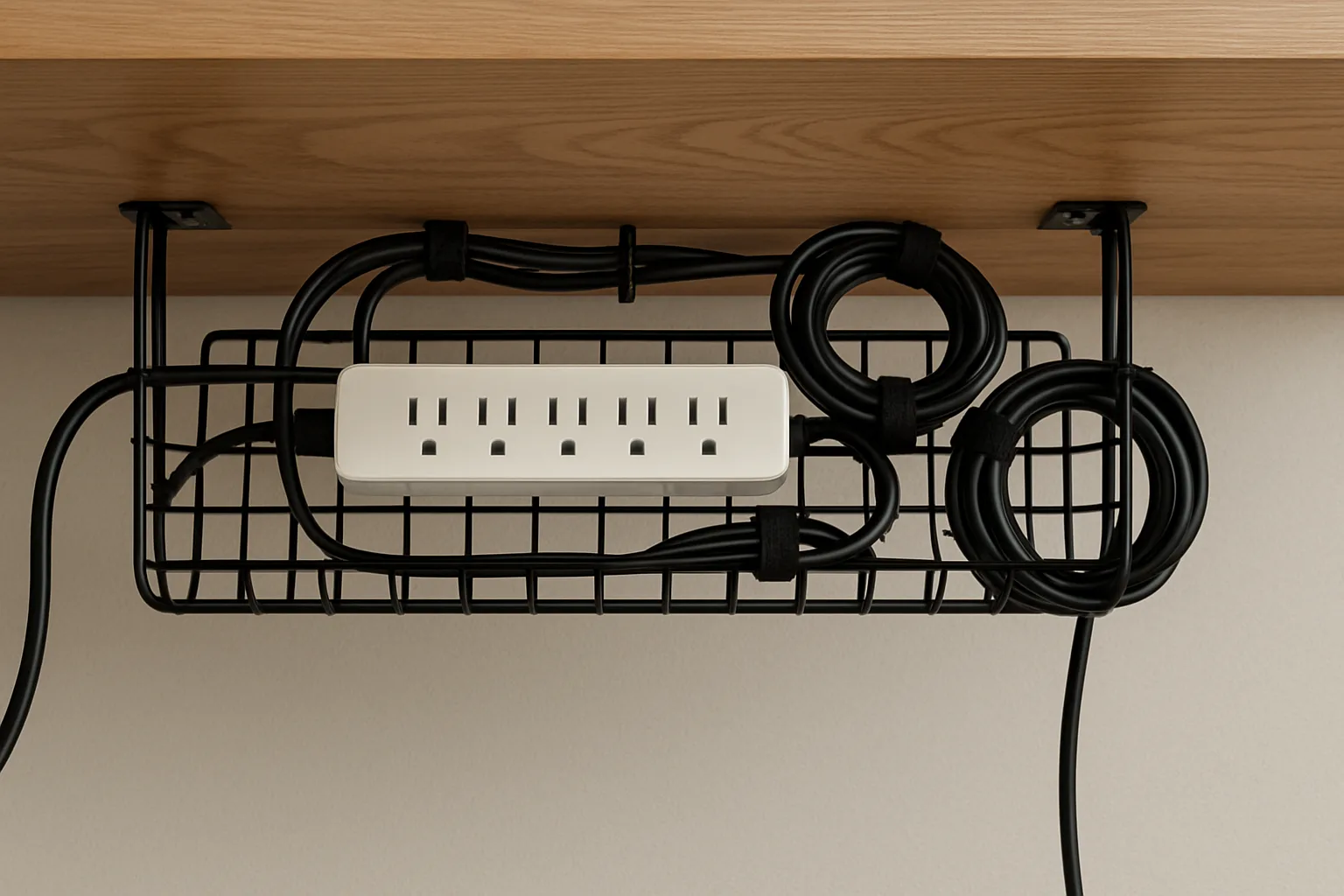
Cable management is more than looks. A tray under the back edge of the desk lifts the power strip off the floor, keeps cords away from vacuum brushes and chair casters, and on a standing desk prevents cables from snagging or pulling a monitor off as the desk rises.
A basic setup has three parts: a tray to hold the power strip and excess length, hook-and-loop ties to bundle runs, and one cable sleeve or channel down a desk leg to the wall outlet. Leave enough slack in that last run for the desk's full height range. The Scanfield tray comes in a 17-inch two-pack that mounts with adhesive instead of screws; the maker notes the adhesive needs about a day to cure before loading. Hollow-core or honeycomb desktops are a poor match for both adhesive and screws under load, so check the desk's construction first.
Plug the power strip into a wall outlet rather than chaining it into another strip, and keep cords out of walkways and from under rugs, where heat and wear go unnoticed.
Standing desks: worth it only if used
A standing desk is not a license to stand all day; long static standing brings its own fatigue. The useful habit is changing position. Cornell University's ergonomics program offers a ballpark rhythm of about 20 minutes sitting, 8 minutes standing and 2 minutes moving in each half hour, presented as a goal rather than a rule.
What to check before buying:
- Height range. The low end should reach the seated elbow height of the shortest user and the high end the standing elbow height of the tallest. Three-stage legs usually give a wider range than two-stage legs.
- Stability. Four-leg frames resist side-to-side wobble at full height better than two-leg frames, which matters for tall users and heavy multi-monitor setups.
- Load rating and motors. Dual motors lift more smoothly and evenly. Add up monitors, arms, computer and accessories and stay well under the rating.
- Memory presets, so switching takes one button press. A desk that is tedious to adjust tends to stay at one height.
The FlexiSpot 4-Leg Standing Desk in 55 x 28 inches is an example of the four-leg layout with a memory controller. Check the listing for the current height range and load rating, since FlexiSpot's lineup changes often. For a budget path, a desktop sit-stand converter or simply a fixed desk with a good chair and monitor arm delivers most of the comfort gain.
A setup checklist
- Chair height so feet are flat and thighs roughly level; seat depth so the back meets the backrest.
- Desk or keyboard height so elbows sit at keyboard level with relaxed shoulders.
- Monitor 20 to 40 inches away with the top line at or slightly below eye level.
- Screen perpendicular to windows; task light on the desk, not the screen.
- Cables in a tray, with slack for any moving desk.
- Stand up and move every half hour.
A dedicated, well-lit work area also tends to be a draw for buyers when a home goes on the market, since a room that clearly works as an office is easier to picture than an empty spare bedroom.
Posted by Kristopher Larson
Frequently asked questions
How high should a computer monitor be?
OSHA's workstation guidance puts the top line of the screen at or below eye level, with the center of the screen about 15 to 20 degrees below horizontal eye level. The screen should be directly in front of the user and 20 to 40 inches from the eyes.
Is a monitor arm worth it?
For most setups, yes. A monitor arm sets height, distance and tilt together and frees the desk space the stand used. Before buying, confirm the monitor's weight and VESA pattern fall within the arm's range and that the desk thickness fits the clamp.
What adjustments should an ergonomic office chair have?
The most useful are height-adjustable lumbar support, seat height, seat depth and a backrest that reclines at least 15 degrees and locks. Armrests are optional but should adjust low enough that the shoulders stay relaxed.
How long should a person stand at a standing desk?
Standing all day causes its own fatigue. Cornell University's ergonomics program suggests a ballpark of about 20 minutes sitting, 8 minutes standing and 2 minutes moving in each half hour, with the goal of changing positions often.
How can glare on a computer screen be reduced?
Place the monitor perpendicular to windows, keep some ambient light on so the screen is not the brightest thing in the room, and aim task lighting at the desk surface instead of the screen. A monitor light bar with an asymmetric beam lights the desk without reflecting off the display.
What is the best way to manage cables on a standing desk?
Mount a tray under the back edge to hold the power strip and extra cable length, bundle runs with hook-and-loop ties, and route a single bundle down one leg to the outlet with enough slack for the desk's full height range.
Keep reading
More from the blog

Best Christmas Tree Stand for a Real Tree: Steel vs. Plastic vs. Ratchet (Cinco, Jack-Post, Krinner)

Costway Christmas Inflatables Reviewed: Snow Globe, Nativity, Santa on a Dinosaur and More

Smart Christmas Tree Lights Compared: Govee String Lights 2 vs. Govee Tree Lights vs. Twinkly