Best Portable Photo Printer: Canon Selphy, Liene M100, HP Sprocket Studio Plus, Instax Mini Link 3
Canon Selphy CP1500, Liene M100, HP Sprocket Studio Plus, Instax Mini Link 3 and Kodak Dock Plus compared on print type, color, paper and power.
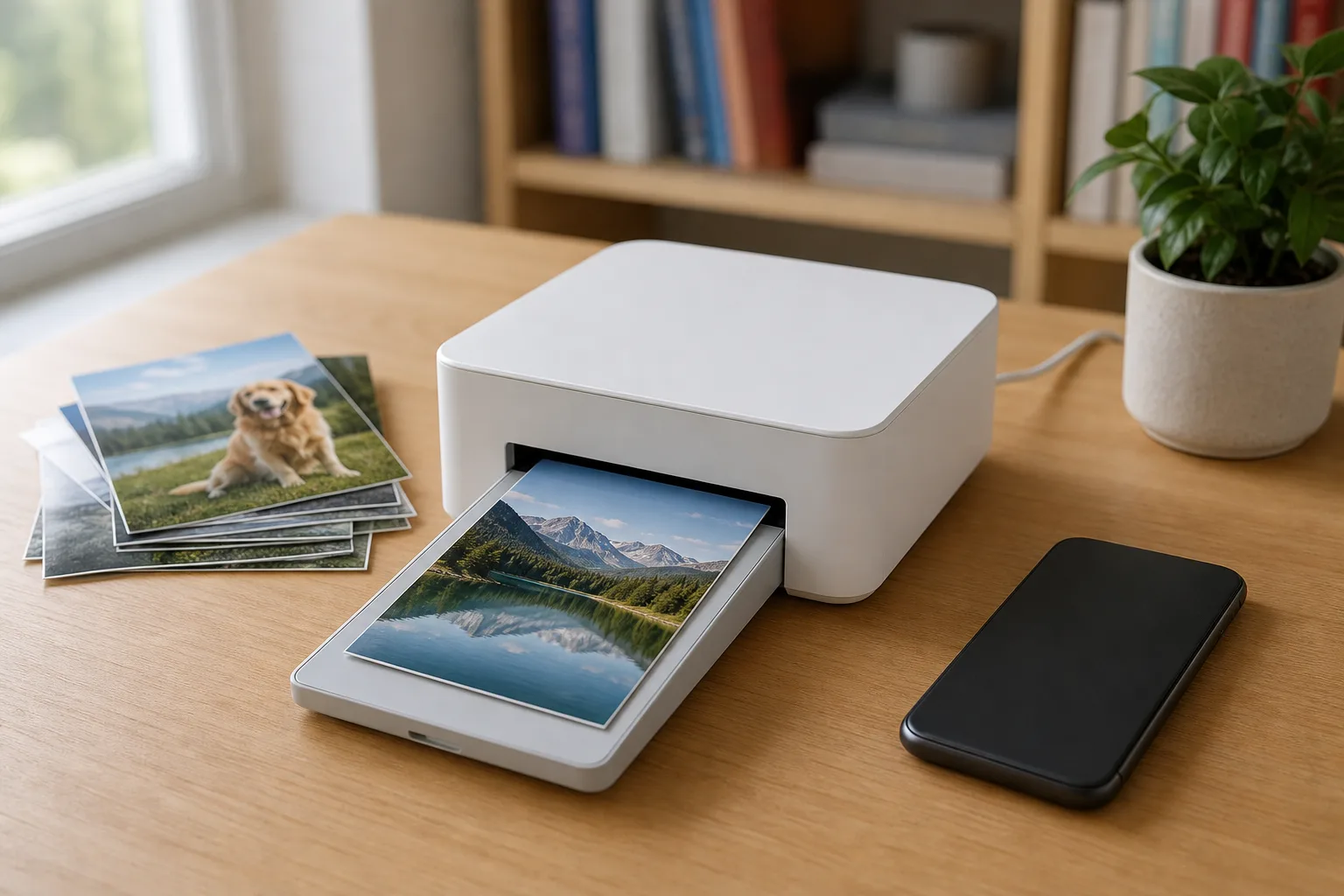
"Portable photo printer" covers two very different machines. One is a small tabletop printer that makes real 4x6 photos and usually needs a wall outlet. The other fits in a coat pocket, runs on a battery and makes prints the size of a credit card. The print technology decides the size, the look, the wait and what has to be bought again when the paper runs out.
Below are four 4x6 printers from Canon, Liene, HP and Kodak and one Fujifilm film printer, with the pocket-size alternatives after them.
Quick verdict
- The most ways to print, with or without a phone: the Canon Selphy CP1500. It is the only one here with a screen and a memory card slot, and its 4x6 prints are close to what a photo lab hands back.
- Closest match to the original photo: the Liene M100 4x6 Photo Printer. Whites stay clean, detail is sharp, and it prints wirelessly from a computer as well as a phone.
- A 4x6 printer that folds away between uses: the HP Sprocket Studio Plus. It runs from a simple phone app, and its prints come out slightly warm.
- Prints to hand out on the spot: the Fujifilm Instax Mini Link 3. It runs on its own battery and prints at any angle. The result is a small bordered film print, not a copy of the phone screen.
- Dock the phone and print: the Kodak Dock Plus. The phone charges on a connector on top. Black-and-white prints are its weak spot.
The photo printers side by side
| Printer | Shop | Print technology | Print size | Connection | Power | Refill pack |
|---|---|---|---|---|---|---|
| Canon Selphy CP1500 |  View on Amazon | Dye-sublimation with overcoat | 4x6 in; card-size sheets and labels with an optional cassette | Wi-Fi, SD card, USB-C | AC adapter; optional battery pack | KP-108IN: 108 sheets with ink |
| Liene M100 4x6 Photo Printer |  View on Amazon | Dye-sublimation | 4x6 in | Wi-Fi from phone, laptop or PC | Wall power | 40 sheets with 1 cartridge, or 80 with 2 |
| HP Sprocket Studio Plus |  View on Amazon | Dye-sublimation | 4x6 in | Wi-Fi (2.4 GHz) or hotspot mode | AC adapter | 108 sheets with 2 cartridges |
| Fujifilm Instax Mini Link 3 |  View on Amazon | Instant film | 62 x 46 mm image on Instax Mini film | Bluetooth | Built-in battery, about 100 prints a charge, USB-C | Instax Mini film, 10 photos a cartridge |
| Kodak Dock Plus | 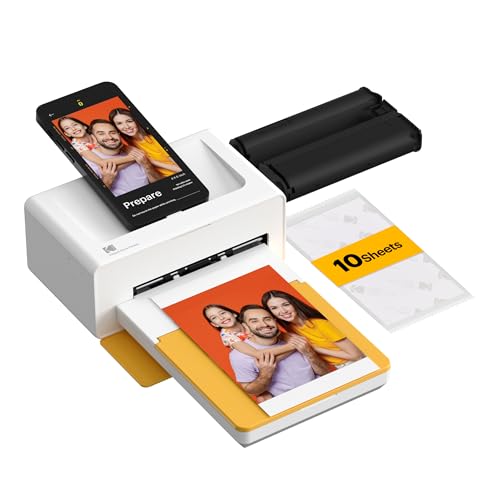 See options | 4PASS dye-sublimation | 4x6 in | Phone dock (USB-C, Lightning adapter included) or Bluetooth | Wall power | PHC-80: 80 photos |
Screen, card slot and the most print options
Canon Selphy CP1500
A 4x6 dye-sub printer that works from a memory card, a phone or a computer, with lab-like prints and the widest set of layouts and finishes.
- 4x6 dye-sub
- SD card and Wi-Fi
- Optional battery pack
Good for
- Printing from a camera's memory card
- ID photos, collages and journaling layouts
Skip it if
- The most neutral whites matter more than the screen
- A touchscreen is expected
Three ways to print a photo at home
Dye-sublimation: the 4x6 printers
All four 4x6 printers here work the same way. A ribbon cartridge and matching paper go into the printer, and the sheet travels in and out four times: once each for yellow, magenta and cyan, then once for a clear protective coat. It comes out finished and dry.
This technology gives the most consistent results and the largest prints. With no liquid ink and no print head to clog, a dye-sub printer can sit on a shelf for weeks and print normally the day it comes back down. For documents and everyday pages, see the laser vs. ink tank printer comparison.
Three habits help. Hold each sheet by the perforated tabs at its ends, because a fingerprint on the blank surface shows in the finished photo; the tabs fold off afterward, leaving those edges slightly rough. Leave room behind the printer, since the sheet passes out the back between colors; HP's manual asks for at least 3.9 inches. And keep the printer on a flat surface away from dust, because a speck that gets inside prints as a mark.
Instant film: Instax
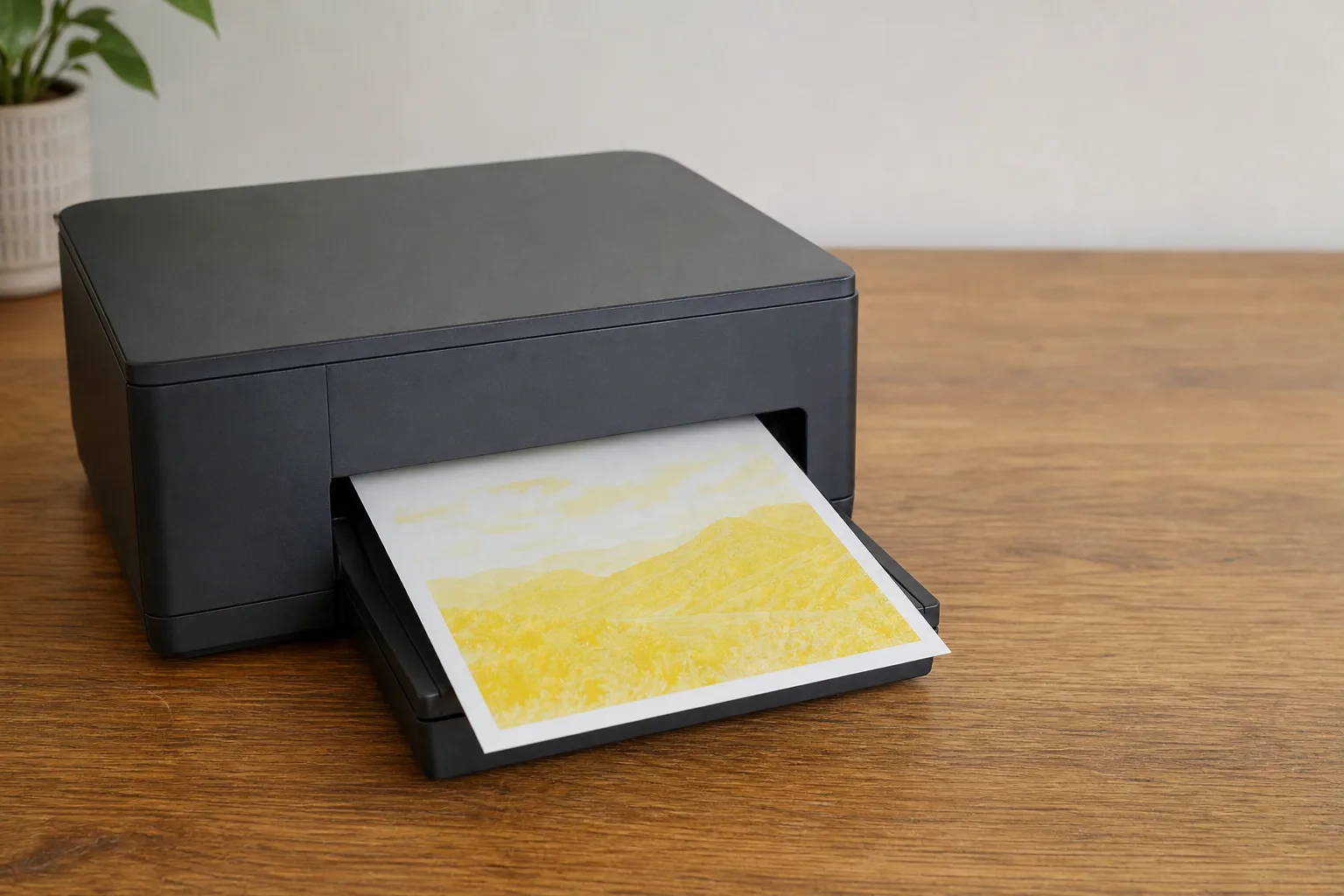
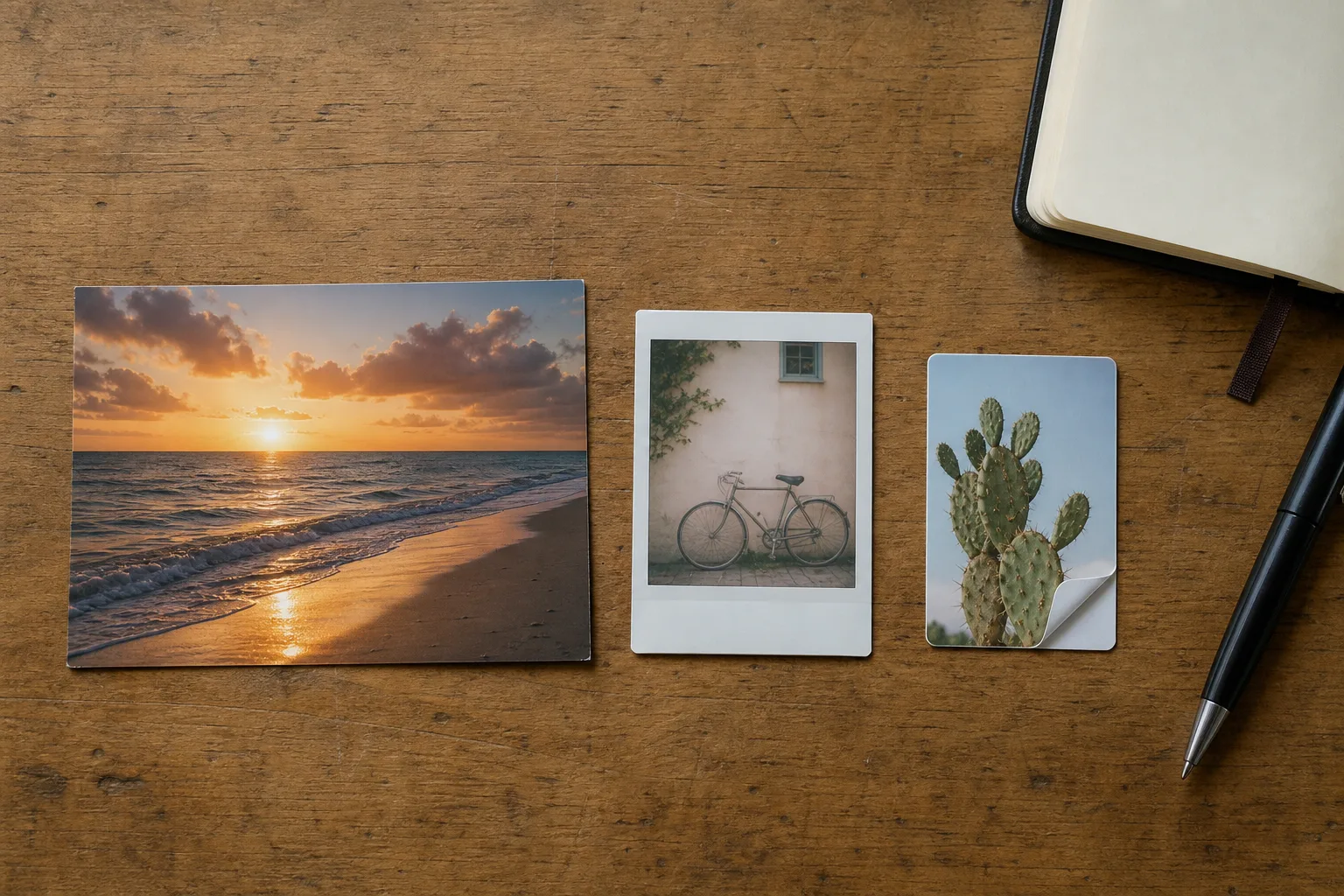
An Instax printer exposes a sheet of the same film Fujifilm's instant cameras use. The sheet comes out within seconds and can be handled right away; the picture fades into view over the next couple of minutes, then keeps darkening for several more. The print has a white border that can be written on and a softer, slightly washed look that will not match an edited photo. The film is sold almost everywhere and also fits Instax Mini cameras, which the Instax vs. Polaroid guide covers.
Shield each print from bright light for its first minute, face down or tucked away; one left in direct light ends up visibly washed out. Do not shake it, which can harm the developing chemistry. Film packs look identical out of the box, so keep the box until the pack is loaded.
ZINK: the pocket sticker printers
ZINK printers such as the HP Sprocket 2x3 and the Canon Ivy 2 use heat-sensitive paper with the color built in, so there is no cartridge at all. A print takes a little over a minute and is done the moment it comes out. The sheets fill the whole 2x3 surface and have a peel-off sticky back, which suits journals and scrapbooks. Neither is as consistent as a 4x6 dye-sub print.
What the 4x6 printers get right and wrong
Printed from the same files, the Liene M100 4x6 Photo Printer is the most faithful to the original: whites stay white and edges are crisp. The Canon Selphy CP1500 is consistent and sharp but leans slightly magenta in bright whites such as clouds. A faint vertical line can appear on a Canon print now and then; reloading the paper normally clears it.
The HP Sprocket Studio Plus lands close to the phone image on most photos, with three caveats. Contrast is a step lower than on a phone screen, so bright clouds can flatten. Fine detail looks a little soft up close, most of all in a four-photo collage. And the color runs warm, which tints neutral grays such as smoke. The app crops phone photos to fill the 4x6 sheet, so check what sits at the edges.
Black-and-white photos separate the printers further. Liene gives the cleanest conversion, with only a little haze where very dark and very light areas meet. The Canon adds a faint blue cast, and the Kodak Dock Plus a purple one, with no true black or white. For mostly black-and-white work, a photo lab is the better route.
One 4x6 printer is worth avoiding: the Polaroid Hi-Print 4x6. Its colors drift, the image has a hazy cast, and lines and misprints kept returning on files that printed cleanly elsewhere.
The phone makes no difference: the same file prints the same way from an iPhone, an Android phone, a memory card or a computer. Every brand does need its own app, which is one practical argument for the Canon, where a card slot and a screen let the app be skipped.
Closest to the original photo
Liene M100 4x6 Photo Printer
A Wi-Fi 4x6 dye-sub printer whose prints land closest to the original file, from a phone or wirelessly from a computer.
- 4x6 dye-sub
- Wi-Fi for up to five devices
- 40 sheets per cartridge
Good for
- Color accuracy and sharp detail
- Printing from a laptop or PC without a cable
Skip it if
- A screen and card slot are needed
- Sizes other than 4x6 are wanted
Paper, ink and how long prints last
None of these printers takes ordinary photo paper. Each uses its maker's own paper and ribbon set or film, and that set is the purchase that repeats. Packs run from 10 Instax photos to 108 sheets for the Canon and HP, and the dye-sub sets pair paper and ribbon so both run out together. HP warns that paper for the older Sprocket Studio does not fit the Studio Plus.
The makers' durability claims are specific to dye-sub. Canon says the CP1500's overcoat resists water, oil and fingerprints and that prints last up to 100 years stored in an album. Kodak cites a protective lamination, and Liene a top layer that guards against water, scratches, fading and fingerprints. HP calls its paper smudge-proof and tear-resistant, though its manual still advises wiping off spills quickly. For pictures that change every week, a digital picture frame does the job without paper.
The picks in detail
Canon Selphy CP1500
The Canon Selphy CP1500 is the one to buy for printing straight from a camera. Slide the SD card into the front, pick shots on the 3.5-inch screen and print, with no phone involved. It has the deepest set of extras here: an ID photo mode with on-screen guides for chin and crown, sheets that combine 8 or 20 pictures, journaling layouts with space to write, QR codes and a satin finish.
The screen is the weak part. It is not a touchscreen and cannot zoom in to confirm a shot is sharp, so check focus on the camera first. Canon lists a 4x6 print at about 41 seconds, and its optional battery packs at 54 or 70 prints a charge. Card-size sheets and stickers need a separate cassette, and each paper type takes its own ink cartridge.
Screen, card slot and the most print options
Canon Selphy CP1500
A 4x6 dye-sub printer that works from a memory card, a phone or a computer, with lab-like prints and the widest set of layouts and finishes.
- 4x6 dye-sub
- SD card and Wi-Fi
- Optional battery pack
Good for
- Printing from a camera's memory card
- ID photos, collages and journaling layouts
Skip it if
- The most neutral whites matter more than the screen
- A touchscreen is expected
Liene M100 4x6 Photo Printer
The Liene M100 4x6 Photo Printer makes the most accurate prints of the 4x6 group, with neutral whites and fine detail. It creates its own Wi-Fi connection, and Liene says up to five devices can join at once, laptops and PCs included. Printing from a computer gives the same quality as printing from the app. It has no screen or card slot and prints one size only. Liene is a far younger brand than Canon, Kodak or HP, and it sells a separate battery model, the Amber M200.
Closest to the original photo
Liene M100 4x6 Photo Printer
A Wi-Fi 4x6 dye-sub printer whose prints land closest to the original file, from a phone or wirelessly from a computer.
- 4x6 dye-sub
- Wi-Fi for up to five devices
- 40 sheets per cartridge
Good for
- Color accuracy and sharp detail
- Printing from a laptop or PC without a cable
Skip it if
- A screen and card slot are needed
- Sizes other than 4x6 are wanted
HP Sprocket Studio Plus
The HP Sprocket Studio Plus suits a household that prints a batch every few weeks. The paper tray stores on top, the front door closes, and the printer goes back on a shelf. It joins 2.4 GHz Wi-Fi only, so a router with separately named bands needs the phone on the 2.4 GHz one. The app prints from the phone's gallery, builds collages, adds simple text labels and has photo booth and ID photo modes. It has to stay open until a print finishes. HP's manual lists 90 seconds a sheet, an 18-sheet tray and AC power only.
Folds away between uses
HP Sprocket Studio Plus
A compact Wi-Fi 4x6 dye-sub printer run entirely from a phone app, with prints close to the screen image but warmer and a little softer.
- 4x6 dye-sub
- 2.4 GHz Wi-Fi or hotspot
- 108-sheet refill pack
Good for
- Occasional batches of family photos
- Collages and photo booth prints from the app
Skip it if
- Printing from a memory card or away from an outlet
- Neutral color is the priority
Fujifilm Instax Mini Link 3
The Fujifilm Instax Mini Link 3 is the truly portable one: it comes out of a bag or a large coat pocket ready to print, at any angle, with no tray to fit and no outlet to find. It charges over USB-C where earlier Mini Link printers used micro-USB. In the app, Click to Collage takes six shots three seconds apart to build a collage print, and AiR Studio adds augmented-reality effects, though it responds slowly on an older phone outside Fujifilm's supported list. The light-painting LED of the Mini Link 2 is gone. Print quality matches the Mini Link 2's. Fujifilm lists about 15 seconds to print and roughly 100 prints a charge.
Pocket-size film prints
Fujifilm Instax Mini Link 3
A battery-powered printer that turns phone photos into bordered Instax Mini film prints and works at any angle, straight from a bag.
- Instax Mini film
- About 100 prints a charge
- USB-C charging
Good for
- Handing out prints at events and on trips
- Film that also fits Instax Mini cameras
Skip it if
- Borderless prints or exact color are the goal
- Larger prints are wanted
Kodak Dock Plus
The Kodak Dock Plus has a connector on top: set the phone on it and it prints from there while the phone charges. Kodak includes a Lightning adapter for the USB-C dock pin, and the printer also works over Bluetooth through an app with collages and decorative borders. It prints 4x6 only and plugs into the wall. Its black-and-white prints carry a purple haze, so it fits color snapshots better.
Dock-and-print
Kodak Dock Plus
A 4x6 dye-sub printer with a phone dock on top that prints straight from the docked phone and charges it at the same time.
- 4x6 4PASS dye-sub
- Phone dock or Bluetooth
- 80-photo refill pack
Good for
- Printing from a docked phone
- Charging the phone while printing
Skip it if
- Black-and-white prints are the plan
- A screen and card slot are needed
Other printers worth knowing
- Liene Amber M110. Its color matches the M100's. What it adds is a second tray for 3x3 sticker prints that use the same cartridge and carry an instant-film-style border. Liene lists it as a Bluetooth printer.
- Fujifilm Instax Mini Link 2 and Mini Link+. Both use the same film as the Mini Link 3. The Mini Link 2 charges over micro-USB and keeps the light-painting LED. The Mini Link+ adds a Design Print mode that Fujifilm describes as made for text-heavy layouts and detailed illustrations.
Folds away between uses
HP Sprocket Studio Plus
A compact Wi-Fi 4x6 dye-sub printer run entirely from a phone app, with prints close to the screen image but warmer and a little softer.
- 4x6 dye-sub
- 2.4 GHz Wi-Fi or hotspot
- 108-sheet refill pack
Good for
- Occasional batches of family photos
- Collages and photo booth prints from the app
Skip it if
- Printing from a memory card or away from an outlet
- Neutral color is the priority
Who should buy which
- Photos from a camera's memory card, plus ID photos: the Canon Selphy CP1500.
- The most accurate 4x6 print: the Liene M100 4x6 Photo Printer.
- Occasional batches from a phone: the HP Sprocket Studio Plus.
- A small film print to hand to someone on the spot: the Fujifilm Instax Mini Link 3.
- Printing from a docked, charging phone: the Kodak Dock Plus.
Posted by Kristopher Larson
Frequently asked questions
What is the difference between dye-sublimation, ZINK and Instax prints?
Dye-sublimation printers lay down yellow, magenta and cyan from a ribbon in separate passes and finish with a clear coat; they make the most consistent prints and the 4x6 size. ZINK printers use heat-sensitive paper with the color inside it, need no cartridge and make small sticky-back prints. Instax printers expose instant film, which develops over a few minutes into a small bordered print with a soft film look.
Do portable photo printers need ink?
Not liquid ink. Dye-sublimation printers such as the Canon Selphy CP1500, Liene M100, HP Sprocket Studio Plus and Kodak Dock Plus use a ribbon cartridge sold together with matching paper. ZINK printers need only their special paper, and Instax printers need only film. In every case the paper, ribbon or film is specific to the printer and is the purchase that repeats.
Can a Canon Selphy CP1500 print without a phone or Wi-Fi?
Yes. The Selphy CP1500 has an SD card slot and a 3.5-inch screen, so photos can be chosen and printed straight from a camera's memory card. Canon also lists printing from a USB-C drive, alongside Wi-Fi printing from phones and computers.
Are 4x6 portable photo printers battery powered?
Mostly not. The HP Sprocket Studio Plus runs only from its AC adapter, and the Canon Selphy CP1500 needs wall power unless one of Canon's optional battery packs is added. Liene sells a separate model with a built-in battery, the Amber M200. Pocket printers such as the Instax Mini Link 3 have a built-in rechargeable battery.
Are photo printer prints waterproof?
The makers describe dye-sublimation prints as resistant, not waterproof. Canon says the Selphy CP1500's overcoat resists water, oil and fingerprints; Kodak and Liene describe a protective laminated layer. HP calls its paper smudge-proof but advises wiping spills off a print quickly.
How long does an Instax Mini Link print take to develop?
The printer ejects the sheet in about 15 seconds, per Fujifilm, and the image then appears over the next couple of minutes and keeps darkening for several more. Keep the print out of direct light for the first minute and do not shake it.
Keep reading
More from the blog
Best Rechargeable AA Batteries: Eneloop vs. POWEROWL vs. Amazon Basics vs. Tenergy
Hardtop Gazebo Buying Guide: Purple Leaf 10x12 vs. 12x16 vs. 12x20, Plus YOLENY
Best Borescope for Home Inspection: Teslong TD450S vs. DXZtoz AGC430N vs. Milwaukee M12 M-Spector 360