Laser vs. Ink Tank Printer for Home: Brother HL-L2480DW vs. Epson EcoTank ET-2800 and ET-2980
Laser or ink tank? A Brother mono laser and an Epson EcoTank set up side by side: setup, print quality, ink vs. toner costs and subscription ink.
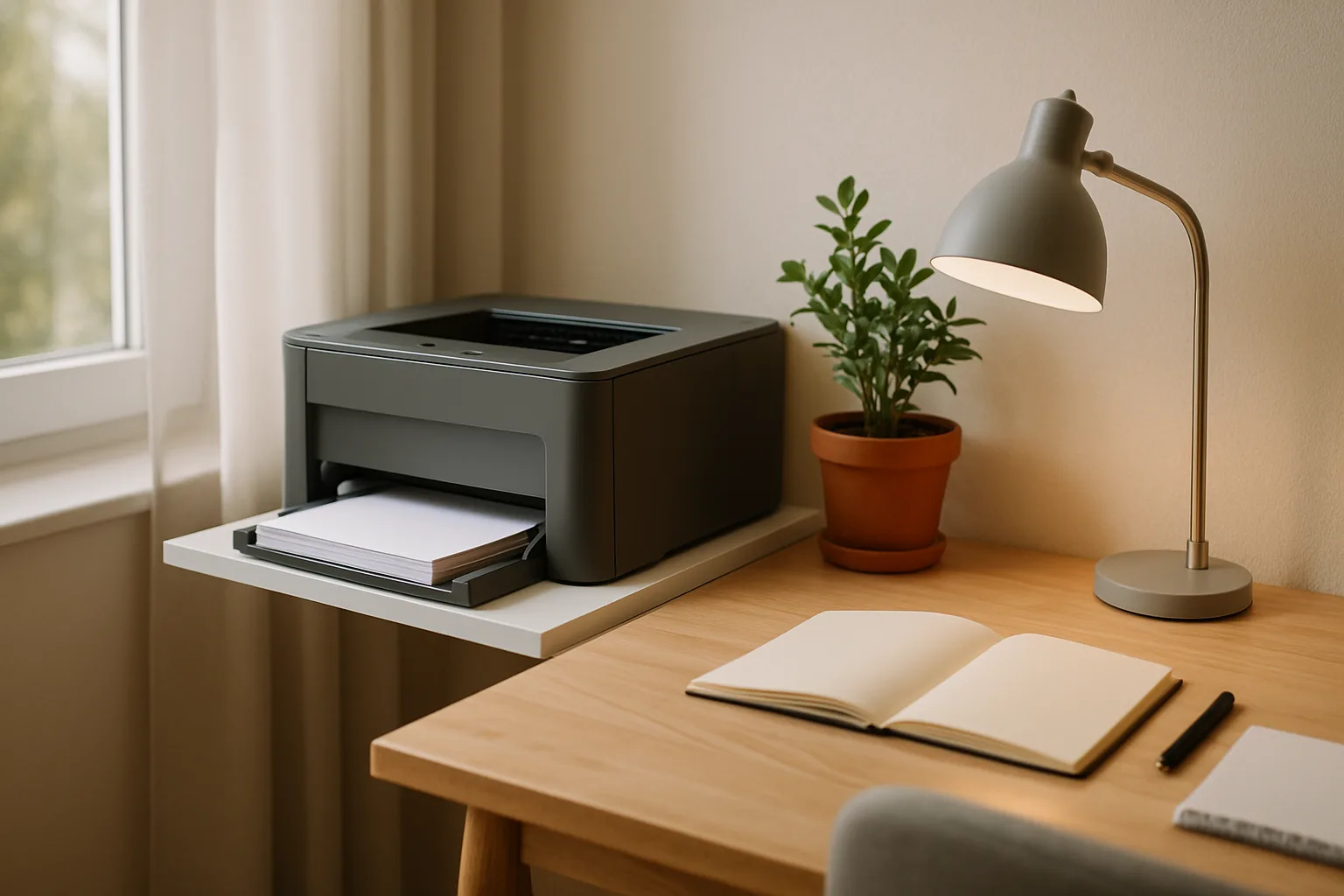
Buying a home printer looks simple until you stand in front of the shelf. A single office-supply store can carry dozens of models across three technologies, with similar-looking boxes, inconsistent shelf tags and an ink subscription pitched on half of them. Two buyers with no printer expertise and modest needs (school assignments, scanned receipts, the occasional poster project) walked that aisle, came home with a Brother monochrome laser and an Epson EcoTank ink tank printer, set both up and compared the first prints side by side.
Their trip makes a useful map of the decision: what separates cartridge inkjets, ink tanks and lasers, why the subscription models deserve a hard look, what setup is actually like, and which features are worth paying for when the printer mostly sits idle.
As an Amazon Associate, Best Utah Real Estate earns from qualifying purchases.
Quick verdict
- Mostly black-and-white documents, printed in bursts weeks apart: a compact monochrome laser such as the Brother HL-L2480DW. Toner doesn't dry out, text came out sharper, and the flatbed handles receipts.
- A household that needs color for school projects and posters: an entry-level ink tank such as the Epson EcoTank ET-2800. Bottled ink keeps refills cheap, and color is the whole point of inkjet.
- Want automatic two-sided printing and more speed in an ink tank: the Epson EcoTank ET-2980 is the step up the ink tank buyer passed on.
- Never scan anything: the print-only Brother HL-L2460DW uses the same toner as the HL-L2480DW without the scanner lid.
- Avoid: cheap cartridge inkjets, unless you print rarely and are comfortable with the ongoing cost of replacement cartridges or an ink plan.
The printers compared
| Printer | Shop | Type | Color | Scanner | Auto two-sided | Rated speed (black, ISO) | Wired Ethernet | Supplies |
|---|---|---|---|---|---|---|---|---|
| Brother HL-L2480DW |  Buy on Amazon Buy on Amazon
| Laser all-in-one | No | Flatbed, no feeder | Yes | 36 ppm | Yes | TN830 toner (700-page starter in box) |
| Brother HL-L2460DW |  Buy on Amazon Buy on Amazon
| Laser, print only | No | None | Yes | 36 ppm | Yes | TN830 toner (700-page starter in box) |
| Epson EcoTank ET-2800 | 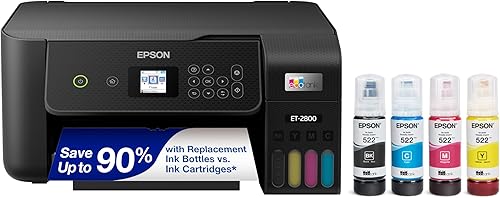 Buy on Amazon Buy on Amazon
| Ink tank all-in-one | Yes | Flatbed, no feeder | No (manual) | 10 ppm | No (Wi-Fi, USB) | 522 ink bottles |
| Epson EcoTank ET-2980 |  Buy on Amazon Buy on Amazon
| Ink tank all-in-one | Yes | Flatbed, no feeder | Yes | 15 ppm | No (Wi-Fi, USB) | 502 ink bottles |
Specs are from Brother and Epson product pages. Color speeds for the Epsons are lower: 5 ppm on the ET-2800 and 8 ppm on the ET-2980.
What the store trip showed
The first surprise was how much choice there was. The buyers expected a simple good, better, best spread from a couple of brands. Instead every aisle held a dozen options, far more choice than they'd faced shopping for a phone. Shelf tags made comparing harder: two nearly identical Brother lasers sat side by side, and the only way to tell them apart was to look up the specs. One turned out to add fax, a larger color screen and two more pages per minute. If you are shopping in person, pull up the maker's spec page on your phone rather than trusting the tag.
Several small details mattered more than expected:
- Chromebook and Linux support. One buyer started shopping because an aging laser's old drivers couldn't be made to work with the kids' Chromebooks. Boxes that state Chromebook support are worth noticing if students in the house use one.
- Wired Ethernet. The models in one section all had an Ethernet port, which the buyers counted as a plus: printers are finicky enough without depending on Wi-Fi. If the printer can sit near the router, a cable removes one common failure point. (If Wi-Fi is weak where it has to go, the fixes in this mesh Wi-Fi comparison apply to printers too.)
- Fax and bulk scanning. Neither buyer needed fax, and both skipped models with document feeders built for scanning 50 or more pages at once. Lifting a lid to scan a few receipts covered their needs, and dropping those features kept them in a mid-range budget.
Cartridge inkjet vs. ink tank vs. laser
Cartridge inkjet
These were the cheapest printers in the store, and that is their one real advantage. The buyers' take was that cartridges combine the downsides of inkjet with expensive supplies. Unless color matters, there's little reason to choose one, and a buyer who only prints text gives up the one thing inkjet does better: color.
Ink tank
Ink tank printers like Epson's EcoTank line cost more up front but are refilled from bottles poured into built-in tanks, so ink is far cheaper per page. Epson rates the ET-2800's replacement 522 bottles at up to 4,500 pages for black and 7,500 for a set of colors. The catch is that it is still inkjet. The print head can dry out and clog if the printer sits unused, and it needs occasional cleaning and maintenance.
Laser
Laser printers print with toner powder, which doesn't dry out. That is why they suit a household that might go a whole school term without printing. Brother rates its standard TN830 cartridge at about 1,200 pages and the high-yield Brother TN830XL toner at about 3,000. At home print volumes, a single high-yield cartridge could last years. The trade-off is that home lasers in this class print black only.
The cost math the buyers ran
On the shelf, a full set of EcoTank bottles and a single high-yield toner cartridge cost about the same. The black bottle alone was rated for roughly 1,500 more pages than the toner, which pushed the color-needing buyer firmly toward an ink tank. The laser buyer stuck with toner anyway, because it doesn't dry out between rare print jobs. Both conclusions are right for their households, and that is the real lesson: frequent printing favors ink tanks, while long idle stretches favor laser.
Subscription ink: why both buyers passed
Several printers on the shelf were sold with HP's Instant Ink, a subscription that ships replacement cartridges automatically and bills a monthly fee based on how many pages you print. Both buyers rejected it on sight. A subscription can make sense for a steady, predictable volume. But it adds a recurring bill to a device that, in a light-use home, might print nothing for months. Read HP's plan terms before choosing a printer bundled with one. Brother offers an optional toner program too, but both printers they bought run on cartridges and bottles you can buy one at a time.
Setup: what each printer was like out of the box
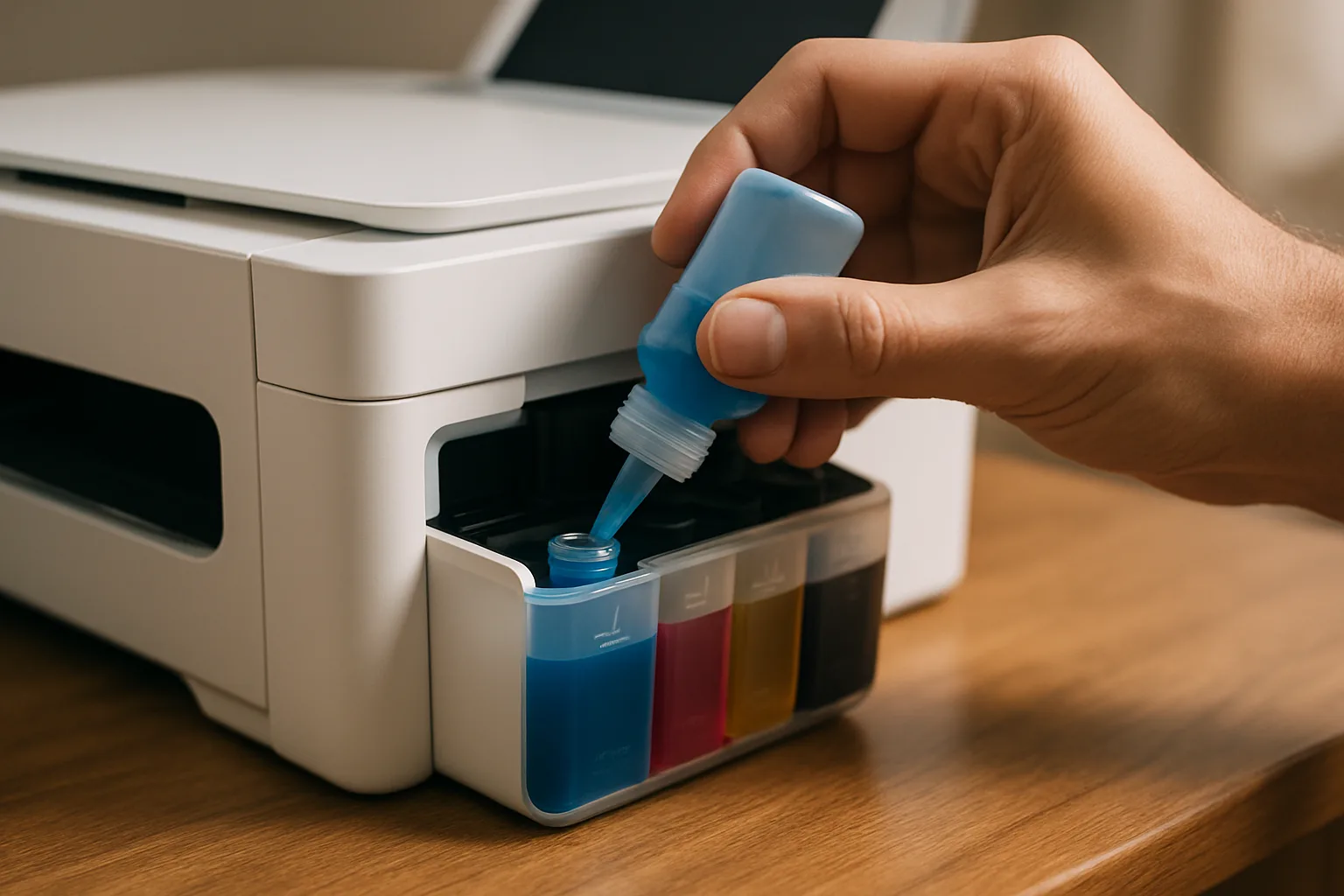
The Epson ink tank largely set itself up. After the four bottles were poured in, the printer spent about 15 minutes charging ink into the print head before it was usable. That only happens once, but don't unbox it ten minutes before a homework deadline. It also printed a sheet at nearly every setup step. The guided setup asked for a scan of a printed alignment sheet, but that alignment failed and was skipped, so expect to redo it at home.
The Brother laser was set up entirely through the Brother Mobile Connect phone app. The app pushed hard for a Brother account, but setup finished fine without creating one. That matched the buyer's past experience setting up Brother printers for clients: they showed up on the network quickly and drivers installed without fuss.
Print and scan results
Side by side, the laser's test page had sharper small text and fine lines, and a noticeably deeper black. The inkjet's black looked closer to dark gray next to it. The ink tank's advantage was color: its four-color test page looked good for the posters and school projects it was bought for, and its owner was satisfied even though its text wasn't as crisp.
Scanning barely got a workout. The only scan attempted was the Epson's alignment step, which failed, and neither scanner was otherwise put to real use. Both buyers kept expectations low here. At this budget the flatbeds are for occasional receipts and forms. If you scan stacks of documents regularly, a dedicated document scanner or a pricier all-in-one with a feeder is the better tool.
The picks in detail
Brother HL-L2480DW: the laser for light, irregular printing
The laser buyer chose a compact Brother monochrome all-in-one built on the TN830 toner platform, with a lift-lid flatbed and no document feeder. In the U.S., the HL-L2480DW is that configuration. Brother rates it at up to 36 pages per minute with automatic two-sided printing, a 250-sheet tray, dual-band Wi-Fi, Ethernet and USB. It ships with a starter cartridge rated for about 700 pages, well short of a retail cartridge but still plenty for many homes for a long while. The buyer's one regret had nothing to do with the printer itself: the buyer hadn't asked whether anyone else at home would want color.
Brother HL-L2480DWCheck today’s price on AmazonBuy on Amazon →
Epson EcoTank ET-2800: the entry ink tank
The ink tank buyer went with an entry-level EcoTank all-in-one one step below the ET-2980, deliberately skipping automatic two-sided printing and some speed to save money. The ET-2800 is Epson's printer built that way. It is a cartridge-free color printer with a flatbed scanner, Wi-Fi and USB, rated at 10 pages per minute in black and 5 in color. Two-sided printing means flipping the paper by hand. It is a good fit for a family that prints color regularly enough to keep the print head from drying out.
Epson EcoTank ET-2800Check today’s price on AmazonBuy on Amazon →
Epson EcoTank ET-2980: the step up for two-sided printing
This is the model the ink tank buyer considered and passed on. Its differences were exactly the ones the buyer decided to live without: faster printing (Epson rates it at 15 black and 8 color pages per minute) and automatic two-sided printing. It also has a small color display and uses Epson's 502 bottles. If your household prints double-sided handouts or longer reports, it is worth the extra cost. For posters and single-sided assignments, the cheaper tier does the job.
Epson EcoTank ET-2980Check today’s price on AmazonBuy on Amazon →
Brother HL-L2460DW: the laser without a scanner
If you already own a scanner, or never scan at all, Brother's print-only sibling has the same 36-page-per-minute rating, automatic two-sided printing, Ethernet, Wi-Fi and TN830 toner as the all-in-one. It just has no flatbed. It's the simplest way to get dependable text printing for a home office or a student's desk; this desk setup guide covers the rest of that workspace.
Brother HL-L2460DWCheck today’s price on AmazonBuy on Amazon →
Who should buy which
- Anyone printing a few pages a month or less: a mono laser. Its toner sits ready for months without the clogging risk an idle inkjet head faces.
- Families with color school projects, crafts or photos: an ink tank, used often enough to keep the head healthy.
- Households that print double-sided documents often: either Brother laser, or the ET-2980 if color is also needed.
- Anyone scanning dozens of pages at a time: skip these budget flatbeds and look at a model with a document feeder, or a dedicated scanner.
- Before buying: ask everyone in the house whether they'll need color. Finding out after the box is open is the most avoidable mistake.
Posted by Kristopher Larson
Frequently asked questions
Is an ink tank or laser printer better for home use?
It depends on how often you print and whether you need color. A monochrome laser suits light, irregular printing because toner doesn't dry out between jobs. An ink tank suits households that print color regularly, since bottled ink is cheap per page but the print head can clog if it sits idle for long stretches.
Do ink tank printers dry out if you don't use them?
They can. Ink tanks are still inkjet printers, so the print head can dry out or clog after long idle periods and may need cleaning cycles. Printing a page or two every week or so helps. Laser toner is a dry powder and doesn't have this problem.
How long does the first setup of an Epson EcoTank take?
Filling the tanks takes a few minutes, but the first ink charge, when the printer draws ink into the print head, can take around 15 minutes before it is ready to print. That only happens once. The guided setup also prints several sheets and includes an alignment step.
How many pages does a Brother TN830 toner cartridge print?
Brother rates the standard TN830 at about 1,200 pages and the high-yield TN830XL at about 3,000 pages. Printers like the HL-L2460DW and HL-L2480DW ship with a starter cartridge rated for about 700 pages.
Do you need a Brother account to set up a Brother printer?
No. The Brother Mobile Connect app encourages creating an account during setup, but the printer can be connected to Wi-Fi and fully set up without one.
Is HP Instant Ink worth it?
It can make sense for steady, predictable printing, since cartridges arrive automatically. For a home that prints little or irregularly, it adds a recurring monthly bill to a device that may go weeks without use. A printer that takes individually purchased toner or ink bottles avoids that commitment.
Keep reading
More from the blog
GE Opal 2.0 Ultra vs. Typhur vs. Kismile vs. Frigidaire: 12 Countertop Ice Makers Measured
Best Baby Monitor for Your Parenting Style: VTech vs. eufy E21 vs. Nanit Pro vs. Owlet vs. Harbor
PETLIBRO Luma vs. Litter-Robot 5 Pro vs. PETKIT Purobot Max Pro 2: Which Controls Odor Best?