Smart Bulbs vs. Smart Switches: Philips Hue vs. Govee vs. WiZ vs. Lutron Caséta
Smart bulbs or smart switches? How Philips Hue, Govee, WiZ and Lutron Caséta connect, what each costs to start, and which one fits each room.
Most smart lighting regret comes from one mismatch: a smart bulb screwed into a fixture that someone keeps turning off at the wall switch, or a smart switch wired to a lamp that really needed color. Philips Hue, Govee, WiZ and Lutron Caséta are all good systems, but they solve different problems. Hue and Govee are built around the bulb, WiZ is the simplest bulb to start with, and Lutron is built around the switch on the wall.
This comparison sorts the four by how they connect, what they cost to get started, how they behave when the internet drops, and which rooms each one suits, with notes on IKEA's newer Matter bulbs for shoppers who want the most open option.
As an Amazon Associate, Best Utah Real Estate earns from qualifying purchases.
Quick verdict: Hue vs. Govee vs. WiZ vs. Lutron
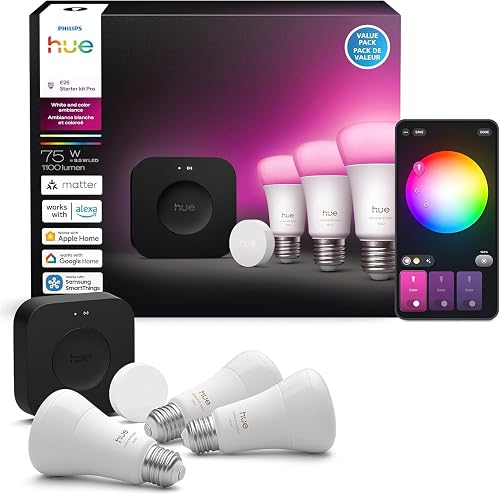
- Best whole-home bulb system: Philips Hue with its hub, such as the Philips Hue Starter Kit with Bridge Pro. It costs the most per bulb, but it has the widest range of fixtures, accessories and integrations.
- Best for color, effects and fun: Govee, such as the Govee A19 Color Smart Bulb with Matter. No hub, deep scene and music-sync tools, much lower prices.
- Easiest no-hub starter: WiZ, such as the WiZ Full Color A19 Smart Bulb 3-Pack, which joins existing Wi-Fi and works with Matter.
- Best for ceiling lights and anyone who uses the wall switch: Lutron Caséta, starting with the Lutron Caséta Smart Dimmer Starter Kit. It makes ordinary dimmable bulbs smart and keeps a physical switch working.
- Lowest cost and most open: IKEA's Matter-over-Thread bulbs, if the home already has a Thread border router (sold in IKEA stores, not on Amazon).
The four systems side by side
| Philips Hue | Govee | WiZ | Lutron Caséta | |
|---|---|---|---|---|
| What it controls | Smart bulbs, strips, fixtures | Smart bulbs, strips, lamps | Smart bulbs, lamps | Switches, dimmers, plug-in lamp dimmers |
| Connection | Zigbee to a Bridge; Bluetooth for basic use | Wi-Fi (2.4 GHz) plus Bluetooth | Wi-Fi | Lutron Clear Connect radio to a Smart Hub |
| Hub needed | Recommended (Bridge or Bridge Pro) | No | No | Yes, for app, voice and schedules |
| Matter | Yes, through the Bridge | Yes, on newer models | Yes, on current bulbs | Not listed; integrates through its hub |
| Color | Full color and tunable white | Full color and tunable white | Full color and tunable white | None (uses the bulbs already installed) |
| Works if internet is down | Yes, locally through the Bridge | Partly (Bluetooth from nearby) | Depends on platform | Yes, locally through the hub and remotes |
| Physical switch stays useful | Only with Hue switches or remotes | No (switch off = offline) | No (switch off = offline) | Yes |
| Price tier | Premium | Budget | Budget | Mid-range to premium |
The first decision: smart bulbs or smart switches
A smart bulb needs power all the time. If someone flips the wall switch off, the bulb drops off the network and schedules, voice commands and app control stop working until the switch is turned back on. That is the single most common complaint about smart bulbs, and it is why the choice between a bulb system and a switch system matters more than the brand.
- Smart bulbs make sense in table and floor lamps, rentals where wiring can't change, and anywhere color or warm-to-cool white tuning is wanted.
- Smart switches make sense for ceiling fixtures, recessed cans and rooms with several bulbs on one circuit. One dimmer replaces six smart bulbs in a kitchen with six cans, and guests can still use the wall switch normally.
- Mixing works well: a smart dimmer for the overhead lights and smart bulbs only in the lamps that need color. Just don't put a smart bulb behind a smart dimmer; the dimmer's output can cause flicker and some bulb makers specifically say not to.
Philips Hue: the most complete system, at a price
Hue bulbs talk to each other and to the Hue Bridge over Zigbee, a low-power mesh network that keeps lighting traffic off home Wi-Fi. The Bridge handles automations, rooms, scenes and remote access, and it exposes the lights to Apple Home, Alexa, Google Home and SmartThings. Because the Bridge runs the system locally, Hue lights generally keep responding to the app and to Hue switches inside the home when the internet goes down. Many newer bulbs also include Bluetooth for a small hub-free setup, but most of the features people buy Hue for need the Bridge.
The current Bridge Pro raises capacity to more than 150 lights and 50 accessories and adds MotionAware, which uses changes in the Zigbee signal between three or more compatible Hue lights in a room to detect movement without a separate sensor. Basic motion-triggered lighting is included; using that motion for security alerts requires a paid Hue Secure subscription. Hue's other strength is breadth: bulbs in every common base and shape, outdoor fixtures, light strips, TV sync gear and a large family of switches and remotes.
The trade-off is cost. Hue bulbs and strips often cost two to three times as much as comparable Govee or WiZ products, and its full TV sync setup pairs a light strip with a separate HDMI sync box. Hue's lower-priced Essential bulbs narrow the gap for basic white and color use.
 Philips Hue Starter Kit with Bridge ProCheck today’s price on AmazonBuy on Amazon →
Govee: color, scenes and value
Govee bulbs connect straight to a 2.4 GHz Wi-Fi network, with Bluetooth as a backup for control from nearby. There is no hub to buy, and the Govee app is where the brand shines: hundreds of preset scenes, a scene builder, and music sync through microphones built into many products. Newer Govee bulbs, including the A19 color bulb linked above, support Matter, so they can be added to Apple Home, Google Home, Alexa or SmartThings.
Two limits are worth knowing. First, Matter only carries the basics (on, off, brightness, color), so the dynamic scenes and effects stay inside Govee's app; that is true of every brand, not just Govee. Second, each Wi-Fi bulb is another device on the router. A handful is fine; dozens can push a basic router to its limits and cause dropouts. Homes planning a large Wi-Fi lighting setup should look at router capacity first, and a mesh Wi-Fi system often helps. Govee also notes its standard bulbs should not be used on dimmer switches or smart switches.
 Govee A19 Color Smart BulbCheck today’s price on AmazonBuy on Amazon →
WiZ: the simplest starter
WiZ is owned by Signify, the same company behind Philips Hue, and it is positioned as the no-hub, low-cost line. Bulbs join existing Wi-Fi in a few minutes, support Matter and work with the major voice assistants. WiZ's motion feature uses two or more WiZ lights in the same room to sense movement, similar in spirit to Hue's approach but without a hub. It is a good fit for a first smart lamp or a bedroom, and the same router caution applies as with Govee.
Lutron Caséta: the switch-first system
Caséta replaces ordinary wall switches and dimmers with smart ones and adds wireless Pico remotes that can be mounted where a switch is wanted but no wire exists. Devices communicate over Lutron's own Clear Connect radio rather than Wi-Fi, Zigbee or Thread, and the Smart Hub plugs into the router by Ethernet. The system runs locally, so switches and remotes keep working with the internet down, and the dimmers keep working as normal switches even if the hub is unplugged.
Caséta's standard smart dimmer does not need a neutral wire, which matters in older homes where switch boxes often lack one. It is rated for up to 150 watts of dimmable LED or 600 watts of incandescent and halogen, and it handles three-way setups with a Pico or companion device. For lamps, the plug-in lamp dimmer controls up to two lamps with dimmable bulbs, up to 100 watts of LED, and needs the hub. Caséta does not list Matter support, but it integrates with Alexa, Google Home, Apple Home and SmartThings through its hub.
The limits: no color or white tuning (the light is whatever bulb is installed), a premium per-switch price, and actual wiring work. Anyone unsure about switch wiring should hire an electrician; the work is quick for a pro.
 Lutron Caséta Smart Dimmer Starter KitCheck today’s price on AmazonBuy on Amazon →
 Lutron Caséta Plug-In Lamp DimmerCheck today’s price on AmazonBuy on Amazon →
Where IKEA fits
IKEA's newer KAJPLATS bulbs use Matter over Thread, a low-power mesh network like Zigbee that keeps traffic off Wi-Fi. That makes them the most open option of the group: they pair directly with Apple Home, Google Home, Alexa or SmartThings controllers that act as a Thread border router, or with IKEA's own DIRIGERA hub. They are also among the cheapest smart bulbs available. The catches are a smaller selection of styles and the need to have a healthy Thread network, which has fewer troubleshooting tools than Wi-Fi.
What Matter does and doesn't change
Matter is an industry standard managed by the Connectivity Standards Alliance that lets one device work with several smart home apps at once. For lighting, it reliably covers on and off, brightness, white temperature and solid colors. It does not carry brand extras like Govee's animated scenes, Hue's entertainment sync or MotionAware. In practice, Matter makes it safe to mix brands in one home app, but each brand's own app still matters for the features that make it different.
Room-by-room picks
- Living room lamps: Hue or Govee color bulbs for scenes; a Caséta lamp dimmer for simple warm-white dimming.
- Kitchen cans and ceiling fixtures: Caséta dimmers. Task lighting under the cabinets is a separate decision covered in this guide to under-cabinet lighting types.
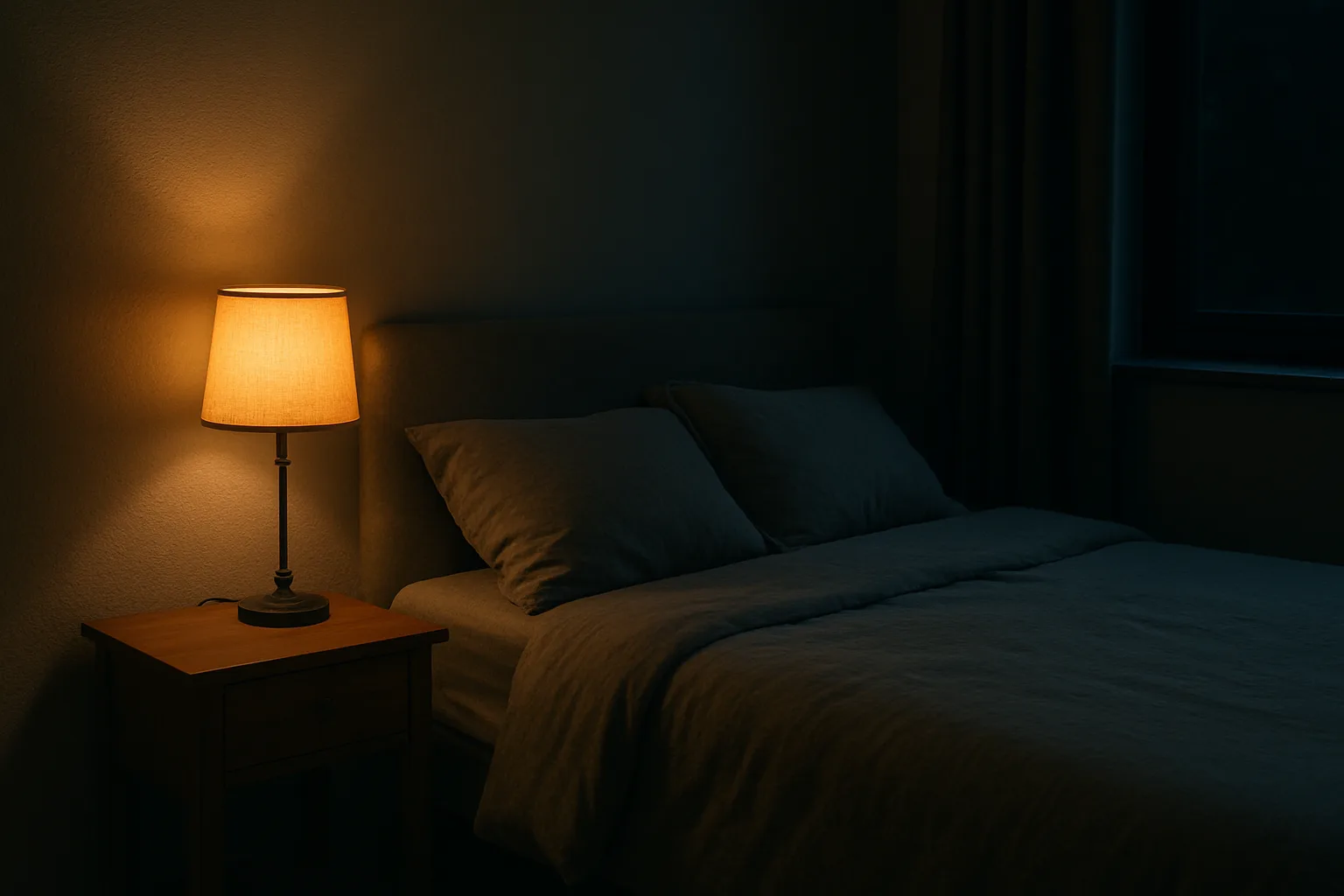
- Bedrooms: any tunable-white bulb that can drop to a very warm, low setting for night use; schedule a slow warm-up in the morning.
- Kids' rooms and game rooms: Govee for effects and low cost.
- Rentals: WiZ or Govee bulbs plus plug-in remotes, with no wiring changes.
- Exterior: permanent eave lighting is its own category; see this comparison of permanent outdoor light systems.
Setup tips that prevent headaches
- Check the base and size (E26 standard, E12 candelabra, BR30 floods for cans, GU10 for some track heads) before buying a multipack.
- Confirm the router's 2.4 GHz band is enabled for Wi-Fi bulbs; many set-up failures are band-steering problems.
- Use dimmable LED bulbs on smart dimmers, and stay within the dimmer's LED wattage rating.
- Label or cover wall switches that feed smart bulbs, or swap them for a remote that mounts in the same spot.
- Name rooms and lights clearly in the app first; voice assistants depend on those names.
Bottom line
For lamps and color, Govee delivers the most for the money and WiZ is the easiest first step. For a large, reliable bulb system with every fixture type and accessory, Hue is still the most complete, as long as the price is acceptable. For ceiling lights and for households where people simply use the wall switch, Lutron Caséta is the dependable foundation. Many well-planned homes end up with switches on the circuits and color bulbs in a few lamps.
Posted by Kristopher Larson
Frequently asked questions
Do smart bulbs work if the light switch is turned off?
No. A smart bulb needs constant power, so turning off the wall switch takes it offline until the switch is turned back on. Homes where people use the wall switch out of habit are usually better served by a smart switch or dimmer, or by a wireless remote mounted over the old switch.
Is Philips Hue worth it compared with Govee?
Hue costs more per bulb but offers a larger range of fixtures and accessories, a hub that runs locally and keeps lighting traffic off Wi-Fi, and broad integration with other smart home platforms. Govee is far cheaper and has richer color scenes and music sync, but it relies on Wi-Fi for each device. For a few lamps, Govee is hard to beat on value; for a whole-home bulb system, Hue is more complete.
Does Philips Hue need a hub?
Many Hue bulbs can be controlled over Bluetooth without a hub, but most features, including automations, larger setups, remote access and Matter, require the Hue Bridge or Bridge Pro. The Bridge Pro also adds MotionAware, which uses three or more compatible lights as a motion sensor.
Does Lutron Caséta need a neutral wire?
The standard Caséta smart dimmer and the Diva smart dimmer are designed to install without a neutral wire, which helps in older homes. Some Caséta switches and specialty dimmers do require a neutral, so check the specific model before buying.
What does Matter support mean for smart bulbs?
Matter lets one bulb work with several smart home apps, such as Apple Home, Google Home, Alexa and SmartThings. It covers basic controls like on and off, brightness and color. Brand-specific features, such as animated scenes or entertainment sync, still require the manufacturer's own app.
Can smart bulbs be used with a dimmer switch?
Generally no. Smart bulbs should be on a regular on/off switch left in the on position, because a dimmer's reduced output can cause flicker or connection problems. To dim lights from the wall, use a smart dimmer with regular dimmable LED bulbs instead.
Keep reading
More from the blog

Best Christmas Tree Stand for a Real Tree: Steel vs. Plastic vs. Ratchet (Cinco, Jack-Post, Krinner)
Costway Christmas Inflatables Reviewed: Snow Globe, Nativity, Santa on a Dinosaur and More
C3 vs. C6 vs. C7 vs. C9 Christmas Lights: Which Bulb Size for Rooflines, Trees and Bushes