Govee Glide Hexa vs Nanoleaf Shapes: Which Hexagon Wall Panels to Buy
Govee Glide Hexa vs Nanoleaf Shapes: brightness, gradients, true white, touch, renter-friendly removal, expansion, apps and Apple Home support compared.
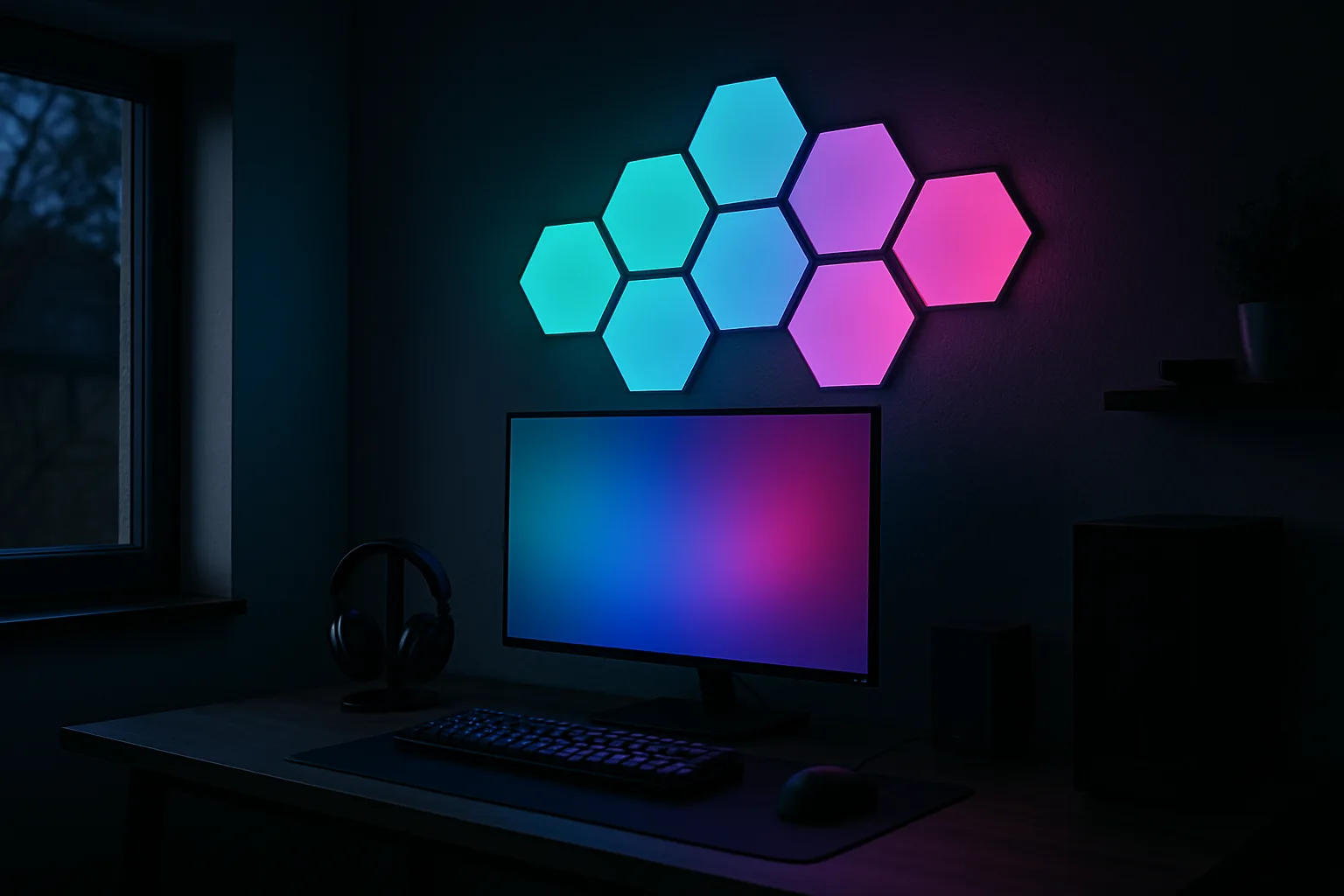
Hexagon wall panels look alike in product photos, and Govee and Nanoleaf both sell a kit of them that sticks to the wall, runs from an app and dances to music. On the wall they are different products. The Govee Glide Hexa is brighter, glows onto the wall behind it and paints a gradient inside each panel. Nanoleaf Shapes expands, rearranges and fits into Apple Home.
Quick verdict
- Brightest, most colorful and easiest to take down: the Govee Glide Hexa Light Panels. Each panel shows several colors at once, the edges and back glow onto the wall, and a pull tab releases the adhesive. The catch: one 10-panel kit, no expansion and no official Apple Home support.
- A layout that can grow and change: the Nanoleaf Shapes Hexagons, 7 Panels. It adds panels and other shapes later, links panels to any neighbor and works with Apple Home. Each panel is one solid color, and the light is dimmer.
The panels side by side
| Panel kit | Shop | LEDs | Color per panel | Panels in the box | Expandable | Removal | Apple Home |
|---|---|---|---|---|---|---|---|
| Govee Glide Hexa Light Panels |  View on Amazon | RGBIC | Multicolor gradient | 10 | No | Pull tab on each adhesive pad | No official support |
| Nanoleaf Shapes Hexagons, 7 Panels |  View on Amazon | RGBW | One color | 7 | Yes, with packs and other shapes | Mounting tape | Yes |
| Govee Glide Hexa Pro | View on Amazon
| RGBIC, 3 sections per panel | Multicolor, 3D split look | 10 | No; two kits can be grouped in the app | Pull tab | No official support |
Brightest and easiest to remove
Govee Glide Hexa Light Panels
Gradients in every panel, edges and back that glow onto the wall, and a pull tab that releases the adhesive. The brightest kit here.
- 10 panels
- RGBIC
- Pull-tab removal
Good for
- Gaming rooms and streaming backdrops
- Renters
Skip it if
- Expanding later
- Apple Home (no official support)
How they look on the wall
Brightness is the clearest gap. The Govee panels put out more light than Nanoleaf Shapes in every color: red, green, blue, purple, orange and both warm and cool white. Around 20% brightness is often plenty, which leaves headroom to light a hallway or stay visible in daylight.
The light itself spreads differently, too. Nanoleaf Shapes shows a visible hot spot in each corner of a panel. On the Govee, the LEDs can't be picked out at all. Its panels also sit a few millimeters off the wall on small feet. Light spills out the sides and from the back, washing the wall around the design in a soft halo. Nanoleaf Shapes lights only the front face. The halo makes a 10-panel design look bigger.
Gradients: RGBIC vs RGBW
RGBIC means the LEDs inside one panel are controlled independently, so a single Govee hexagon can fade from orange to purple or carry part of a rainbow sweep across the design. Nanoleaf's RGBW panels change color panel by panel; each hexagon is one solid block at any moment.
White light
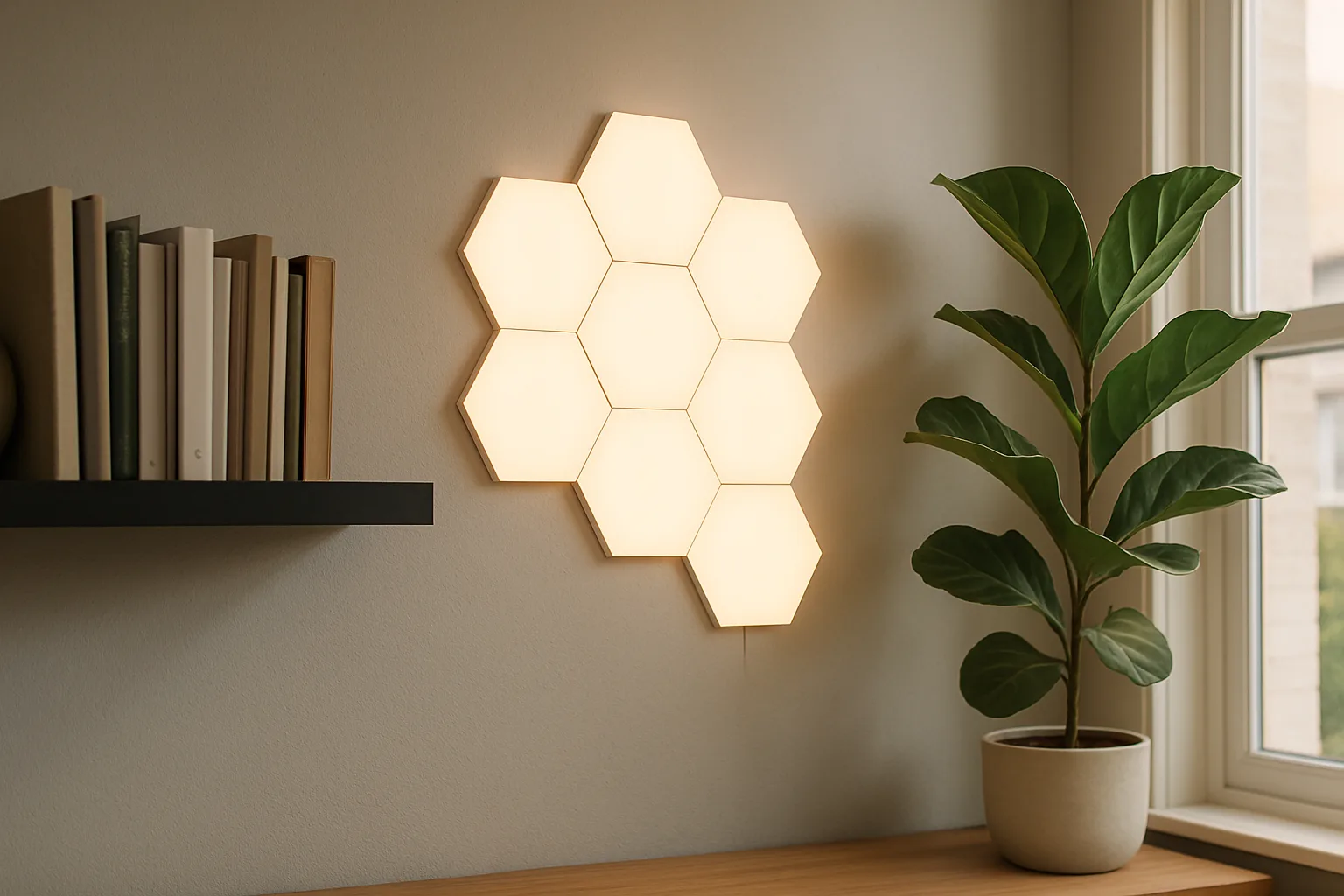
RGBW adds a dedicated white LED, which is the usual route to clean whites rather than whites mixed from red, green and blue. That gives Nanoleaf an edge as an office or reading light, where the panels spend most of their time white. The Govee panels are still brighter in warm and cool white, so for a wall that is mostly a color show with the odd white scene, Govee wins on output.
Mounting, removal and renters
Both kits stick to the wall with adhesive. The Govee pads have a tab that pulls the pad away so the panel comes off without tearing paint, the closest thing in this category to a renter-friendly mount. Nanoleaf relies on strong mounting tape, which is far harder to get off cleanly. On any painted wall, test a small spot first and let fresh paint cure before mounting.
Govee's app walks through the install step by step, with a layout picker and a numbered port for each connection. The box includes a small level and spare adhesive pads. Plug each panel into the power connector before anything goes on the wall; it confirms none are dead. Then hold each panel in place for about 30 seconds.
A layout that can grow
Nanoleaf Shapes Hexagons, 7 Panels
Larger RGBW hexagons that link to any neighbor, grow with expansion packs and other shapes, and work with Apple Home.
- 7 panels
- RGBW
- Expandable
Good for
- Apple Home households
- Wall-sized designs
Skip it if
- Smart plugs that cut power (slow startup)
- Gradients within a panel
Layouts and expansion
This is where Nanoleaf pulls ahead. Each Govee panel takes one connector in and one out, so a design has to trace a single line from the first panel to the last, with no branches. The app's recommended layouts follow that rule; freehand designs take puzzling. Once panels are up, moving one means pulling it off. Nanoleaf panels link to any neighbor and work out their own layout, so changing a design is simpler.
The Govee kit is 10 panels, full stop. There are no extension packs, and no mixing in other shapes. A second kit runs as its own fixture with its own power supply. Nanoleaf Shapes adds hexagons through expansion packs and mixes with Nanoleaf's triangles and mini triangles, so a wall-sized piece is possible.
Govee has one trick of its own: the flexible connectors bend, so a design can wrap around an outside corner or a deep door frame.
Controls and power cuts
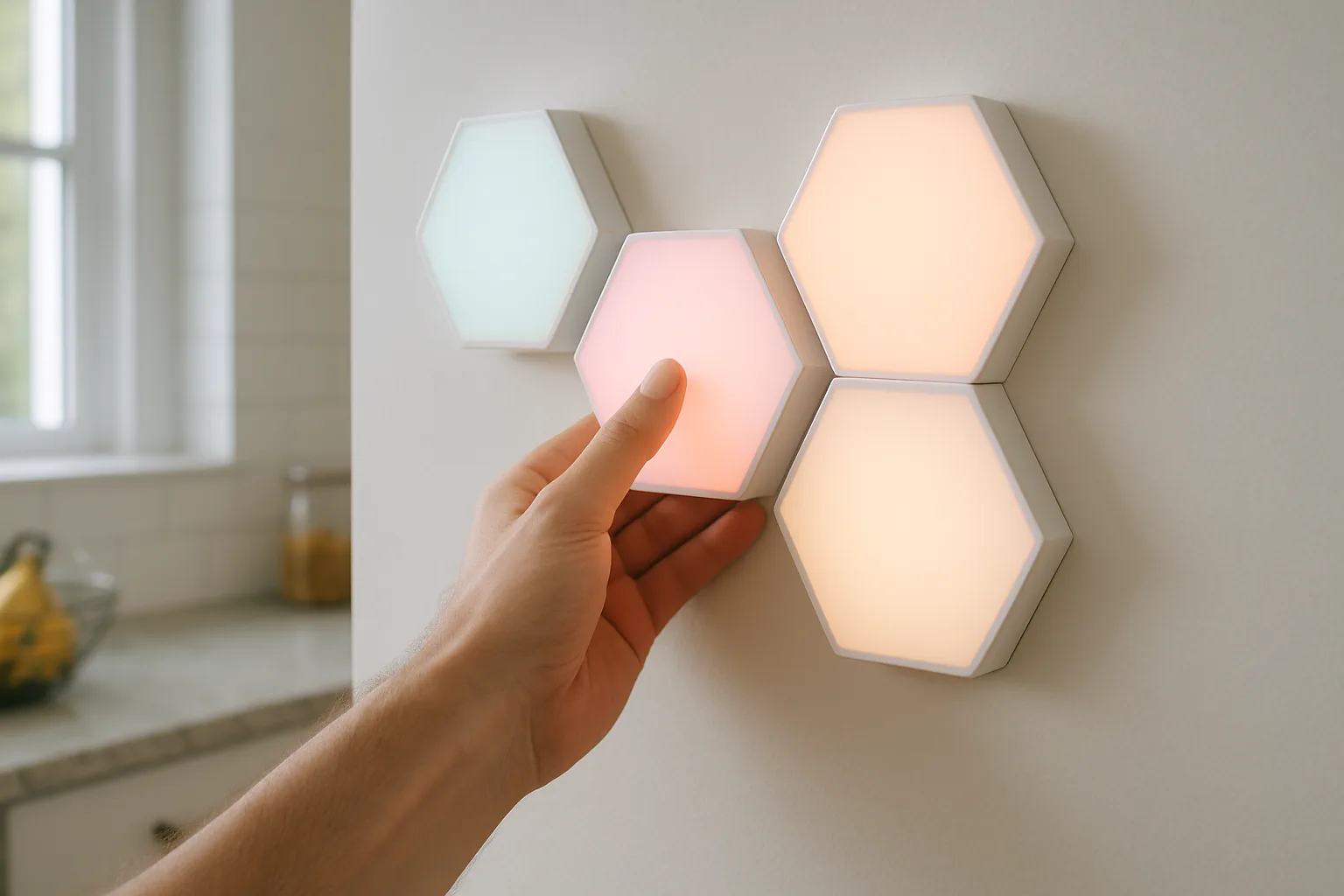
The Govee kit has an inline control box with an on/off button and a built-in microphone for music mode, and no remote or buttons to cycle scenes. Everything else happens in the app or by voice. Nanoleaf also leans on its app, Apple Home and voice assistants for scene control. For a kid's room where the child has no phone, check what each kit offers on the hardware itself before buying.
Both kits remember their last scene after a power cut. Startup time differs a lot. Nanoleaf Shapes has taken about a minute to come back on, a deal breaker on a smart plug that cuts power to the room. The Govee panels come back on quickly in their last scene. Firmware updates may have changed either.
Brightest and easiest to remove
Govee Glide Hexa Light Panels
Gradients in every panel, edges and back that glow onto the wall, and a pull tab that releases the adhesive. The brightest kit here.
- 10 panels
- RGBIC
- Pull-tab removal
Good for
- Gaming rooms and streaming backdrops
- Renters
Skip it if
- Expanding later
- Apple Home (no official support)
Apps and music sync
The Govee app offers scene categories, a DIY editor, per-panel solid colors and music modes. In music mode, the "edge" option keeps gradients moving inside each panel; the solid option lights each panel one color. The app has grown crowded over time, and effects are named rather than previewed, so dialing in an exact look takes trial and error. Most buyers will stick with the built-in scenes. Both apps get regular updates, so menus may not match these descriptions exactly.
The Nanoleaf app is the weaker of the two: settings sit in odd places and music modes are mixed in with ordinary scenes. Wi-Fi drops are its bigger problem, worst on Nanoleaf's older Canvas and Triangles. On those panels the physical buttons are close to essential, because app control is unreliable. The Govee panels hold their connection well and work over Wi-Fi (2.4 GHz) or Bluetooth with nearly the same features.
Smart home support
- Govee: Alexa, Google Assistant and IFTTT, plus Home Assistant through its Govee integration (check the supported device list). Govee scenes can be picked in Alexa routines. There is no official Apple Home support; Siri can still switch the panels using IFTTT webhooks and a Shortcut, or a Home Assistant bridge.
- Nanoleaf: works with Apple Home out of the box. Check the current compatibility list, since smart home support has changed over time.
Govee's step-up kit, the Glide Hexa Pro, keeps the same strengths and limits. Each panel splits into three RGBIC sections for a 3D look, with the same mounting and the same 10-panel, no-expansion limit, and it syncs with Govee's TV and gaming backlights. Govee also sells a newer Glide Hexagon Light Panels Ultra. For more on how both brands fit a whole-house lighting plan, see the Hue vs Govee vs WiZ vs Lutron comparison.
A layout that can grow
Nanoleaf Shapes Hexagons, 7 Panels
Larger RGBW hexagons that link to any neighbor, grow with expansion packs and other shapes, and work with Apple Home.
- 7 panels
- RGBW
- Expandable
Good for
- Apple Home households
- Wall-sized designs
Skip it if
- Smart plugs that cut power (slow startup)
- Gradients within a panel
The picks in detail
Govee Glide Hexa Light Panels
Ten hexagons, about 7 inches across at the widest point, with gradients in every panel and a glow onto the wall. The brightest kit here and the easiest to remove; the trade-offs are a single-line layout, no expansion, no scene buttons and no official Apple Home support.
Brightest and easiest to remove
Govee Glide Hexa Light Panels
Gradients in every panel, edges and back that glow onto the wall, and a pull tab that releases the adhesive. The brightest kit here.
- 10 panels
- RGBIC
- Pull-tab removal
Good for
- Gaming rooms and streaming backdrops
- Renters
Skip it if
- Expanding later
- Apple Home (no official support)
Nanoleaf Shapes Hexagons, 7 Panels
A seven-panel starter kit of larger RGBW hexagons with Apple Home support, which grows with expansion packs and other Nanoleaf shapes. It is dimmer, one color per panel, with corner hot spots and a slow startup after a power cut.
A layout that can grow
Nanoleaf Shapes Hexagons, 7 Panels
Larger RGBW hexagons that link to any neighbor, grow with expansion packs and other shapes, and work with Apple Home.
- 7 panels
- RGBW
- Expandable
Good for
- Apple Home households
- Wall-sized designs
Skip it if
- Smart plugs that cut power (slow startup)
- Gradients within a panel
Who should buy which
- Gaming room or streaming backdrop: Govee. The brightness, gradients and music mode carry on camera, and the Pro version adds TV sync.
- Office or video-call backdrop: Nanoleaf if the panels mostly show white, Govee if they mostly show color. For the rest of the desk, see the desk setup upgrades guide.
- Kid's room: either, set on a schedule or voice control so no phone is needed.
- Home theater: Govee, dimmed low; the wall glow makes good ambient light behind a screen.
- Renters: Govee, for its pull-tab removal.
- Apple Home households or anyone planning a wall-sized design: Nanoleaf.
Posted by Kristopher Larson
Frequently asked questions
Is Govee Glide Hexa brighter than Nanoleaf Shapes?
Yes. The Glide Hexa puts out more light than Nanoleaf Shapes in every color, including warm and cool white, and around 20% brightness is often enough indoors. It also glows onto the wall from its edges and back, which Nanoleaf Shapes does not.
Can Govee Glide Hexa panels be removed without damaging the wall?
They are built for it. Each adhesive pad has a pull tab that releases it from the wall, so the panel comes off without peeling paint in most cases. Test a small spot on delicate or freshly painted walls first. Nanoleaf's mounting tape is much harder to remove cleanly.
Can you add more panels to the Govee Glide Hexa?
No. The kit is a fixed set of 10 panels with no expansion packs, and each panel connects one in and one out, so the layout runs in a single chain. A second kit works as a separate light with its own power supply. Nanoleaf Shapes can be expanded with extra hexagons and other Nanoleaf shapes.
Does Govee Glide Hexa work with Apple HomeKit?
Not officially. It works with Alexa, Google Assistant, IFTTT and Home Assistant. Siri can still switch it on and off through an IFTTT webhook and a Shortcut, or through Home Assistant's HomeKit bridge. Nanoleaf Shapes supports Apple Home directly.
What is the difference between RGBIC and RGBW light panels?
RGBIC panels control their LEDs independently, so one panel can show a gradient of several colors. RGBW panels add a dedicated white LED for cleaner whites, but each panel shows a single color at a time. Govee's hexagons are RGBIC; Nanoleaf Shapes is RGBW.
Which hexagon light panels are best for a gaming setup?
The Govee Glide Hexa suits most gaming rooms: it is brighter, shows moving gradients inside each panel and has a music mode that reacts to game audio through its built-in microphone. The Glide Hexa Pro adds sync with Govee's TV backlights. Pick Nanoleaf if the setup runs on Apple Home or needs to grow past 10 panels.
Keep reading
More from the blog
Best Jump Starter: NOCO vs. Wolfbox vs. Avapow vs. Gooloo

Best Waffle Maker: Presto FlipSide vs. Bella vs. Cuisinart vs. Dash Mini
Smoke and CO Alarms: Photoelectric vs. Ionization, Kidde vs. X-Sense